
Microsoft SQL Server
Chapter 10 - Projects
Final Capstone Project 1: Store Management System in MS SQL Server
Objective:
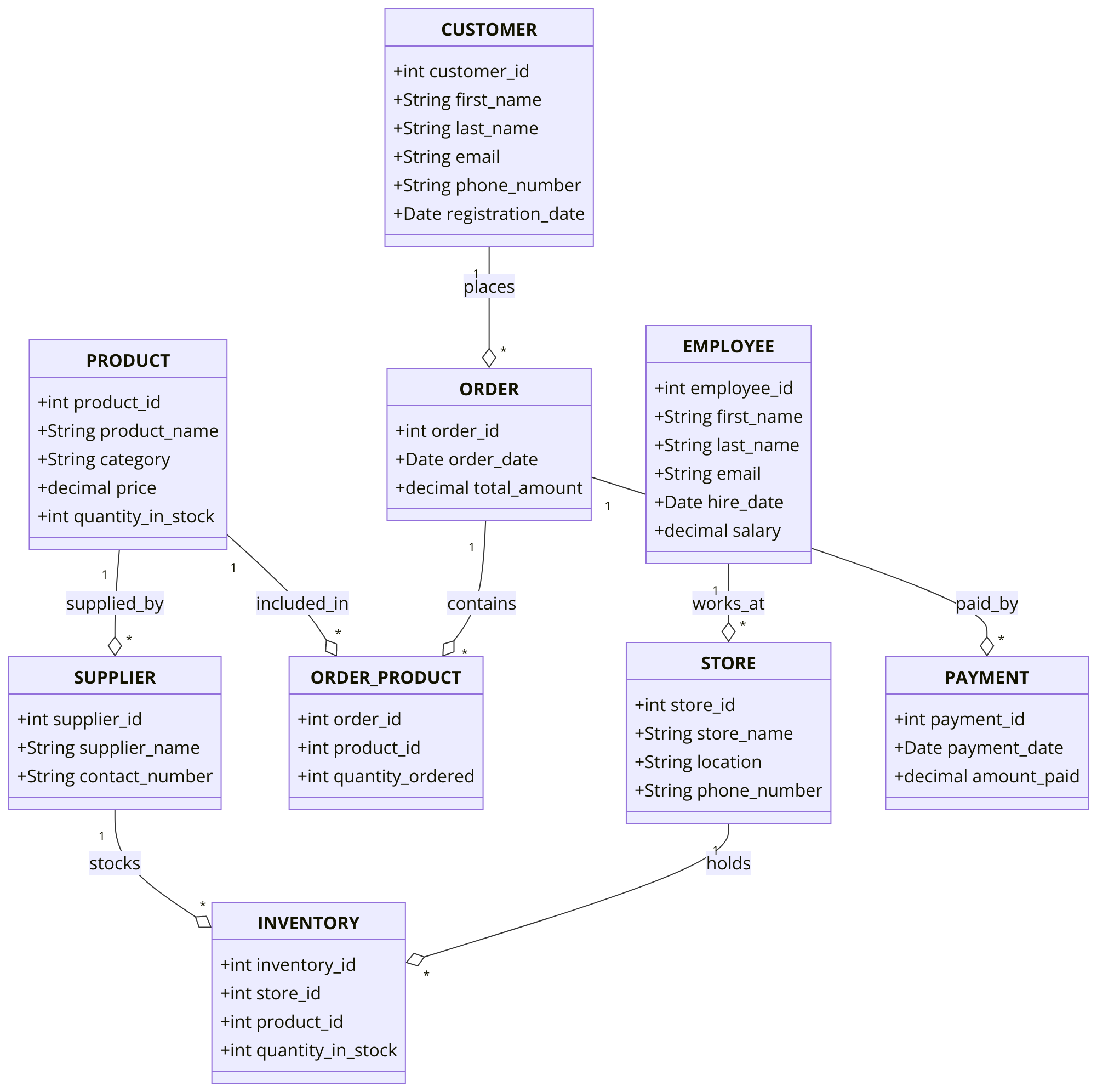
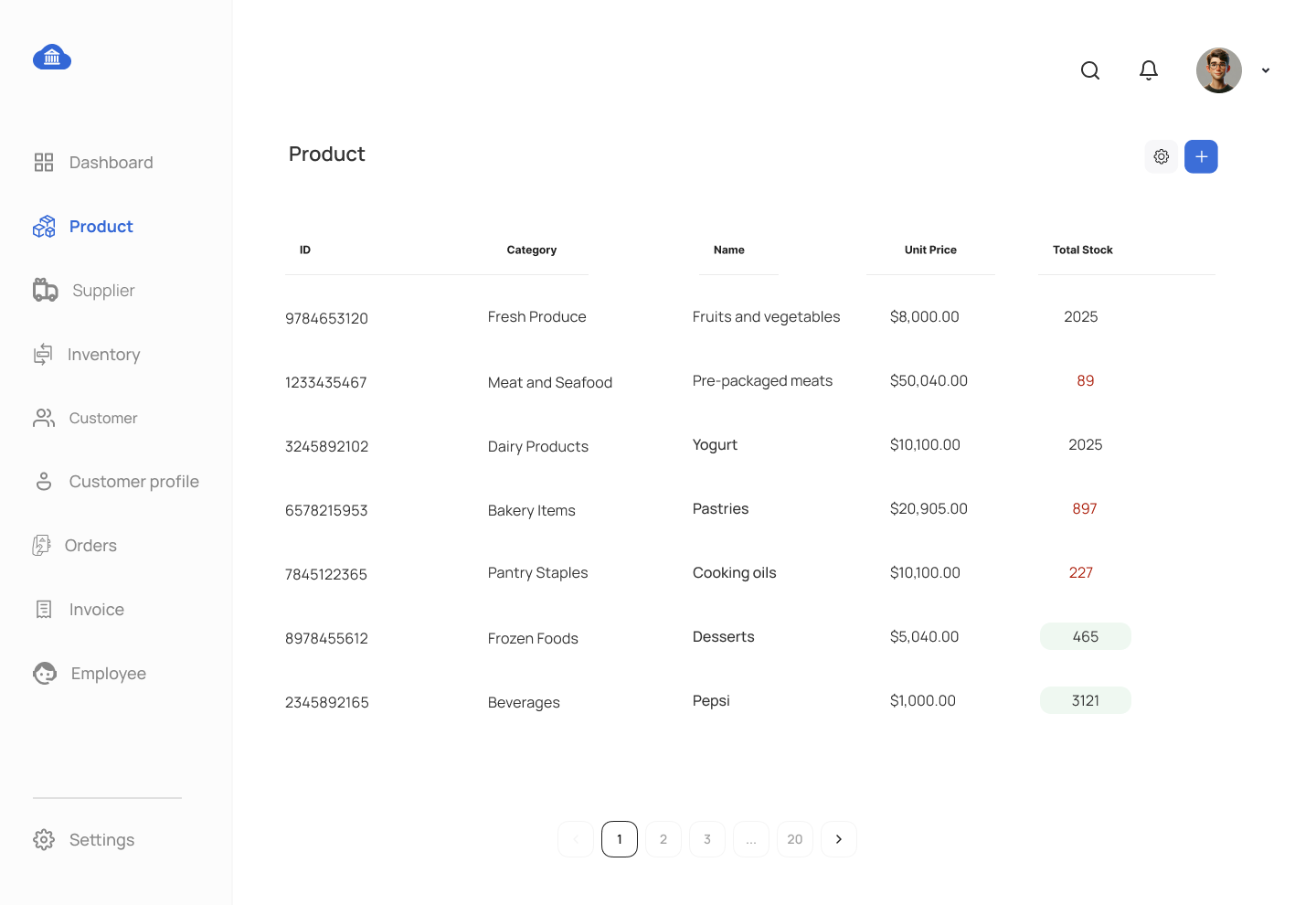
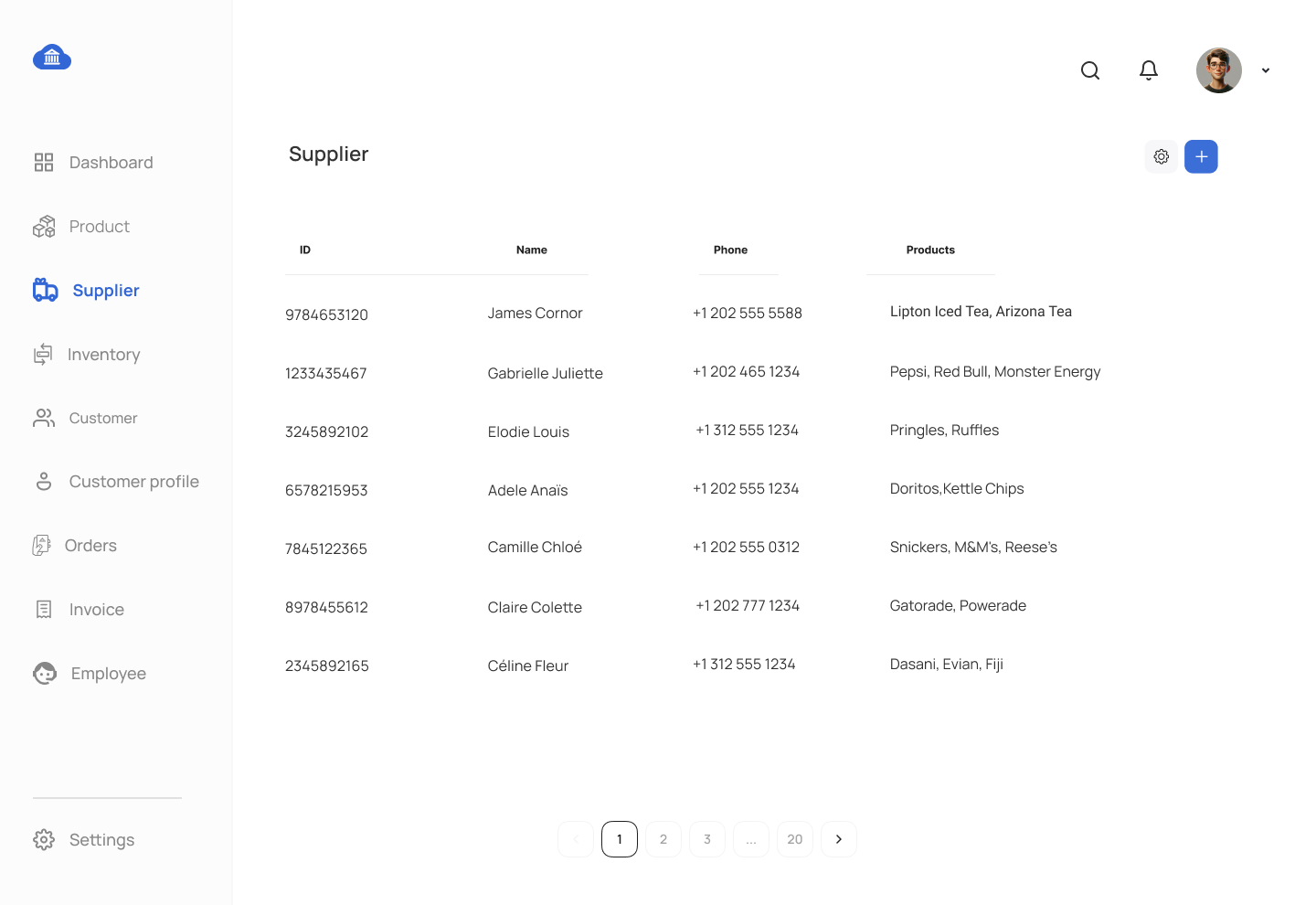
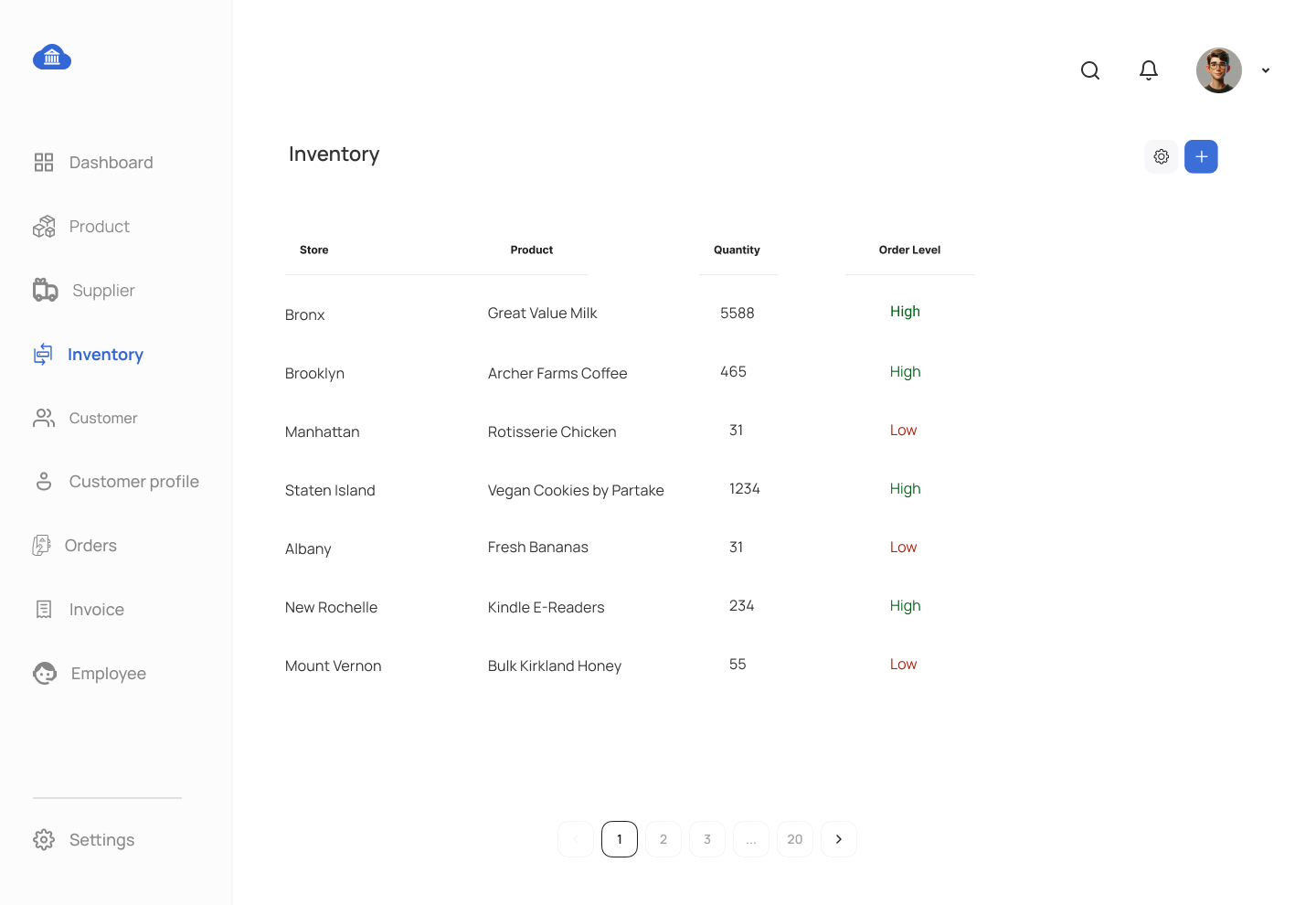
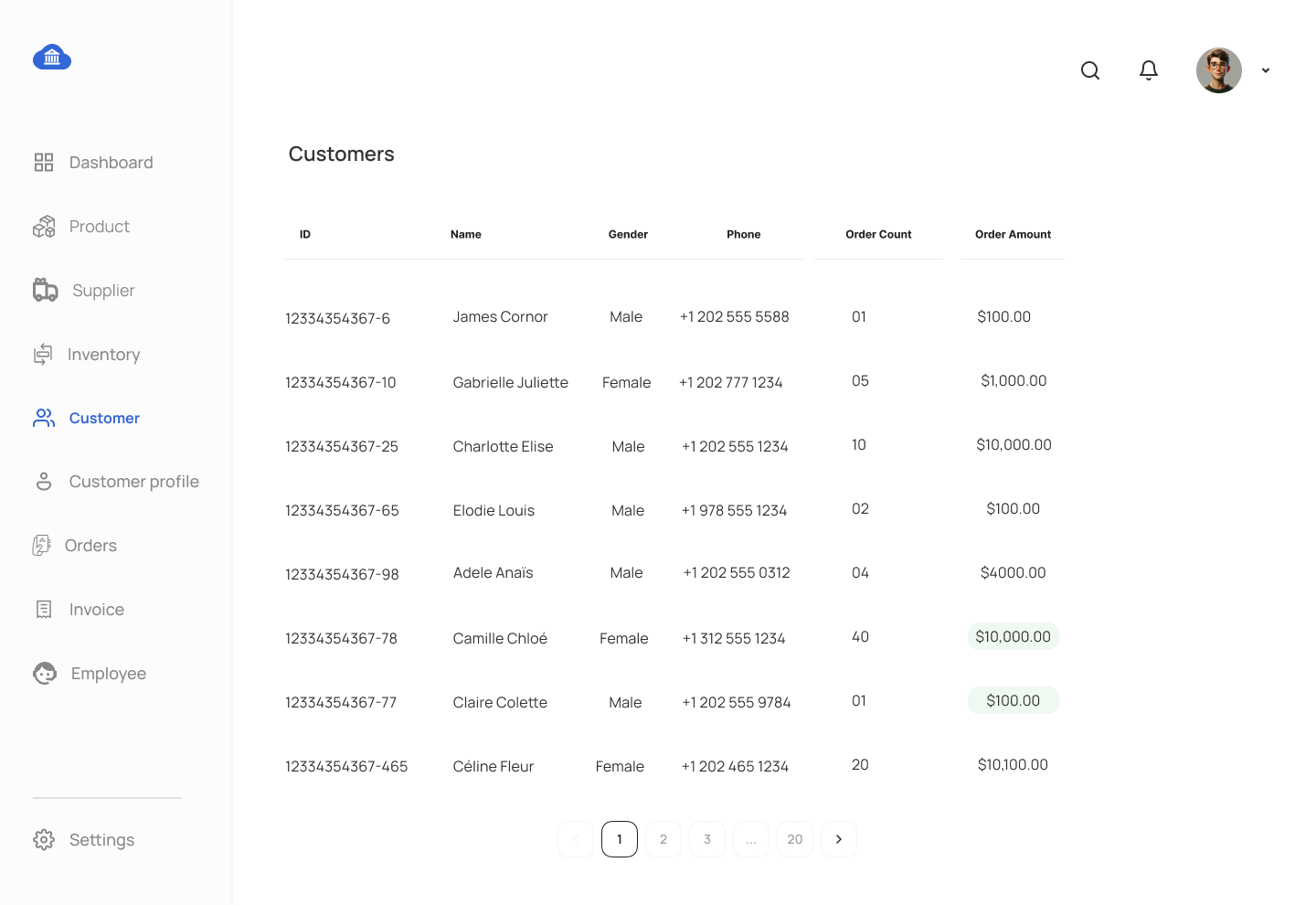
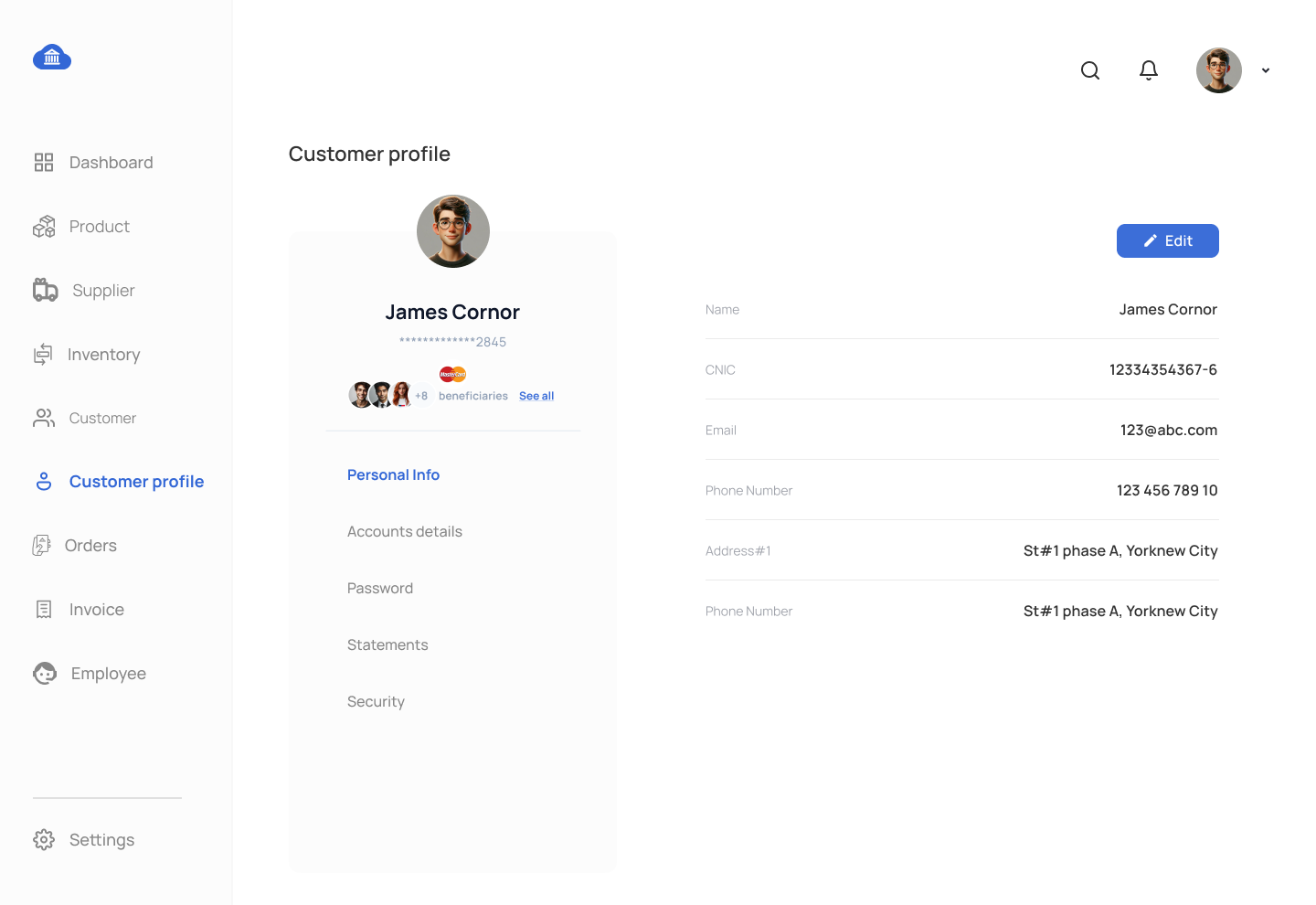
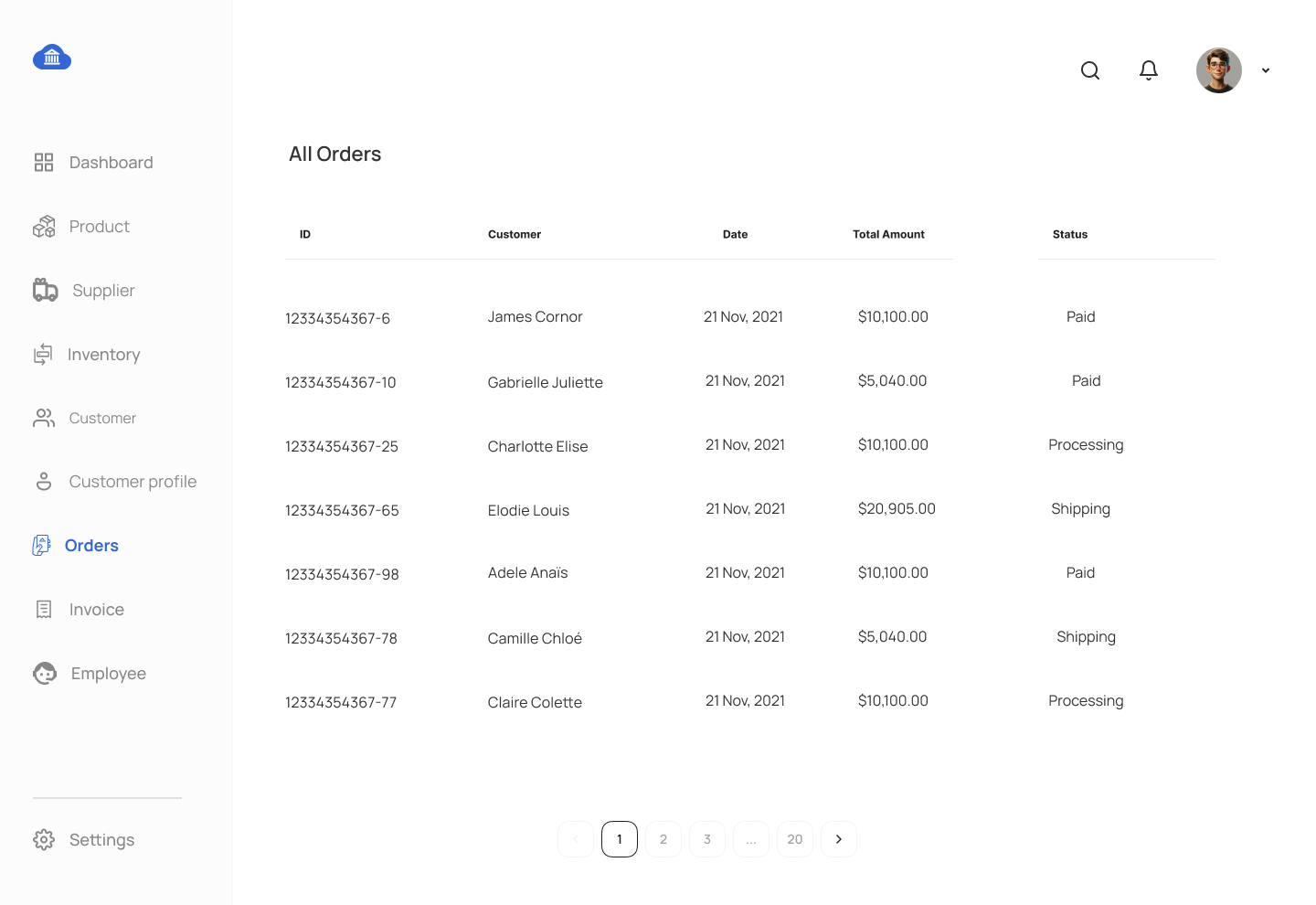
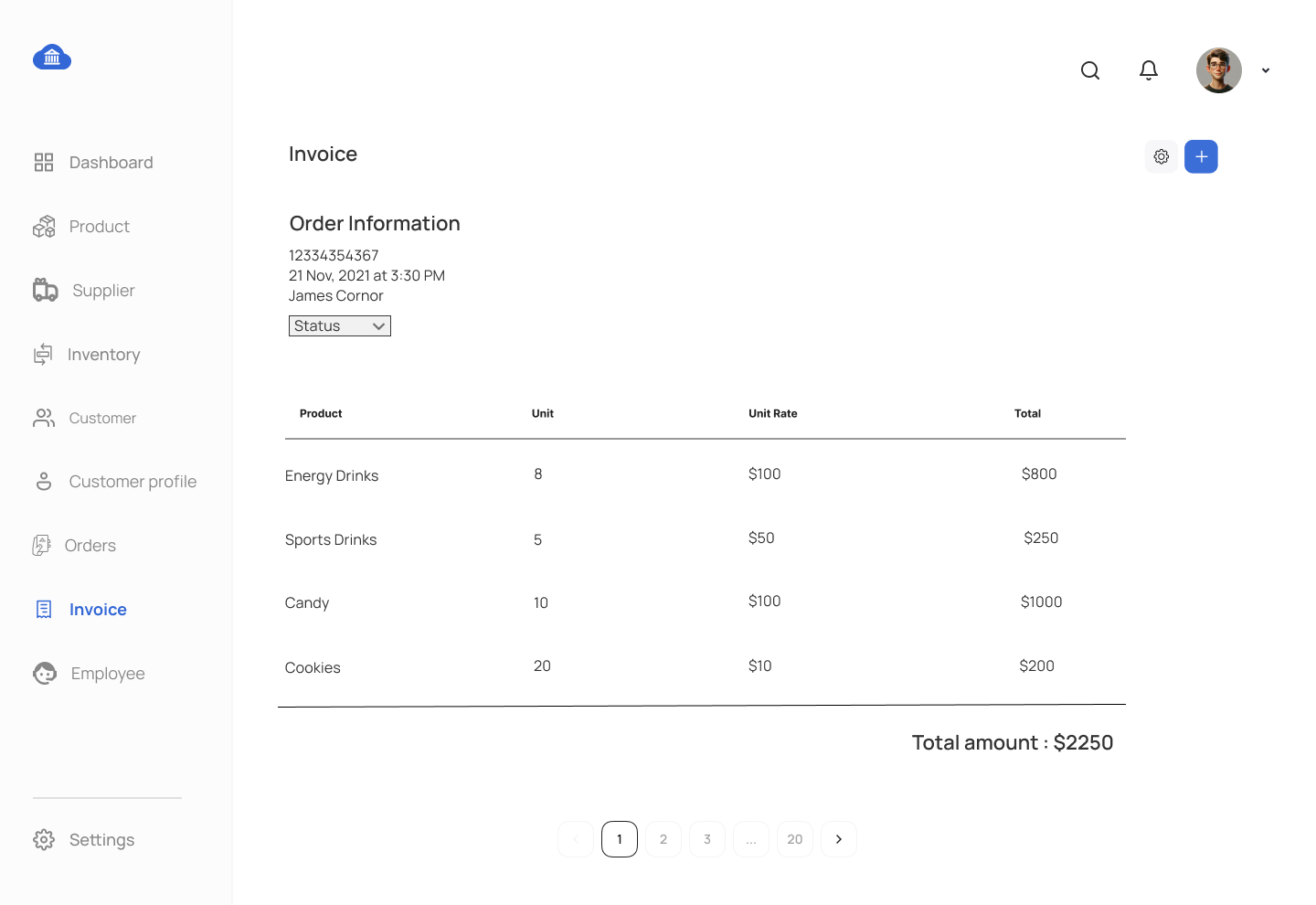
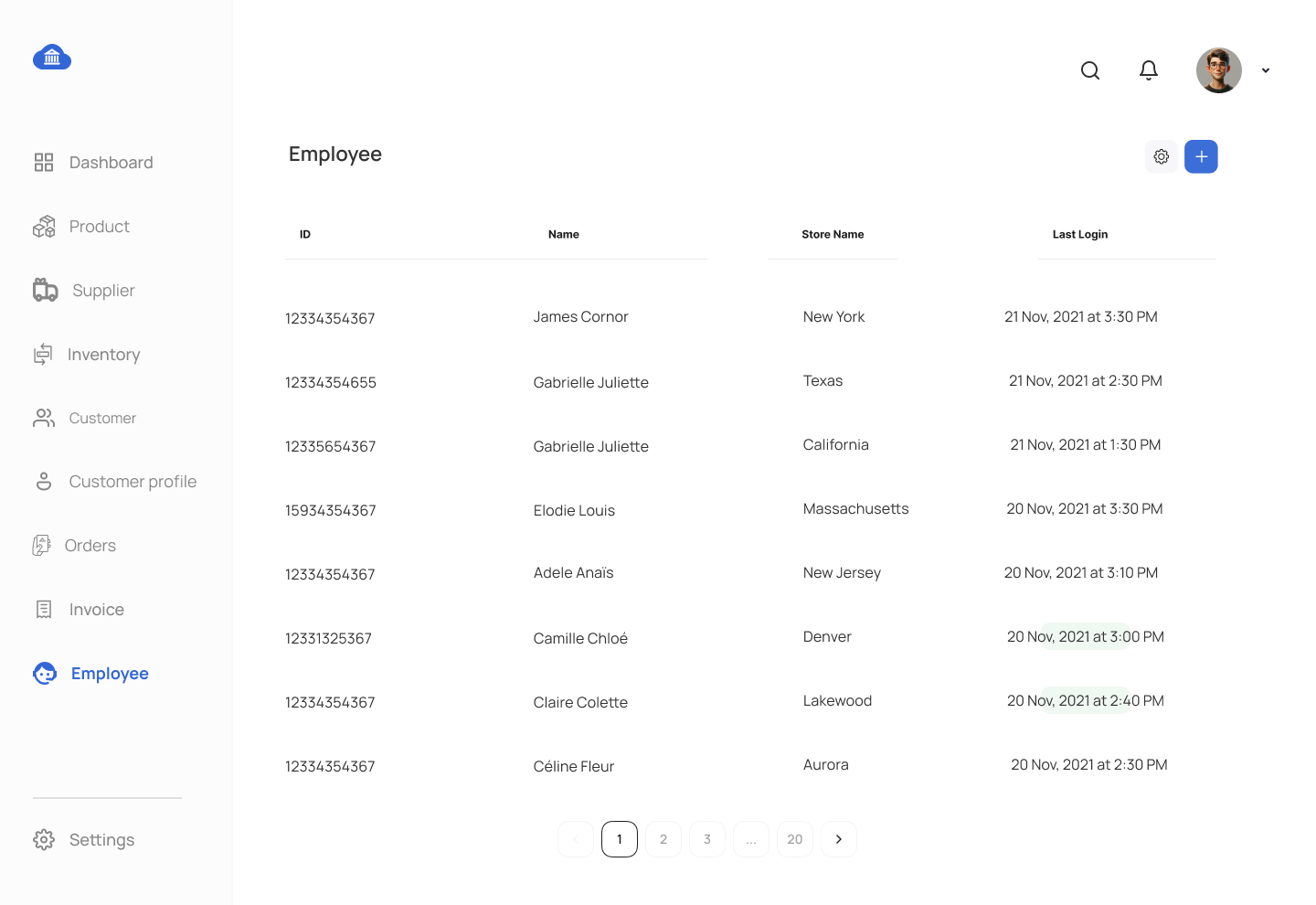
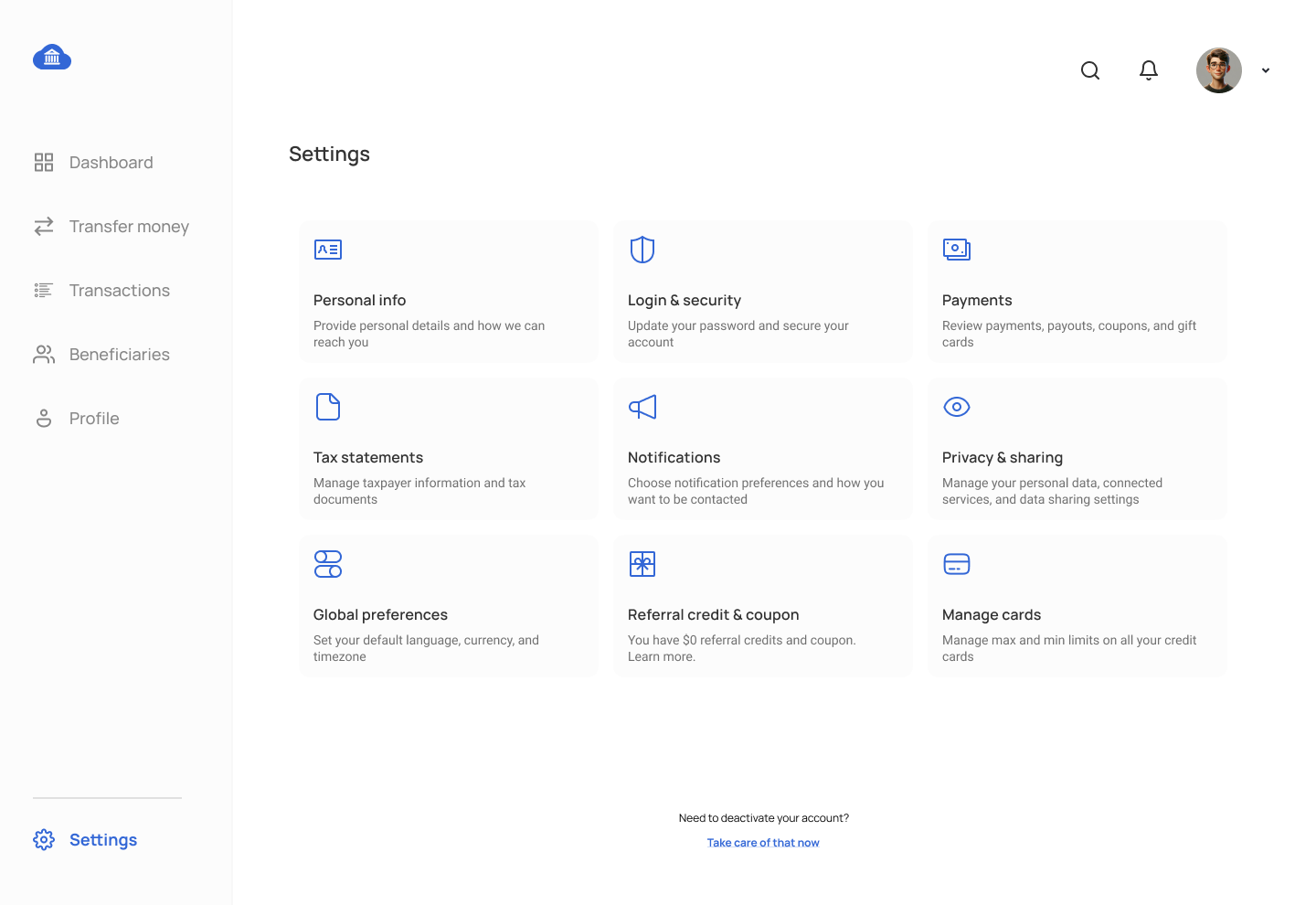
This assignment will focus on developing a Store Management System using MS SQL Server. You will create database views, stored procedures, and triggers aligned with the proposed UI mockup as shown at bottom of this web page. Students will implement SQL objects such as stored procedures, views, triggers, and functions aligned with UI mockup displayed at the bottom of this webpage. Students are required to utilize the tables created during the Chapter 5 DDL assignment.
Requirements:
- Complete previous DDL, DML, and DQL assignments to use table structures and data.
- Submit each SQL object (procedure, view, function, trigger) as a separate
.sqlfile, named according to the database object. - Provide a report explaining each SQL object’s purpose and relation to the UI.
Assignment Tasks:
Stored Procedure Tasks:
- Stored Procedure for Product Management Data Grid
- Write a stored procedure to retrieve all product details for the Product Management screen, including
product_name,price, andquantity_in_stock.
- Write a stored procedure to retrieve all product details for the Product Management screen, including
- Stored Procedure for Customer Management
- Create a stored procedure to insert customer information for the Customer Management screen.
- Stored Procedure for Product Management
- Create a stored procedure to update product information for the Product Management screen.
- Stored Procedure for Order Management
- Write a stored procedure to create a new order. This procedure should insert data into the
ORDERandORDER_PRODUCTtables while updating theINVENTORYtable to deduct the available stock accordingly.
- Write a stored procedure to create a new order. This procedure should insert data into the
- Stored Procedure for Payment Insertion
- Write a stored procedure to insert new payment information for an order in the Payment Management screen. Alos update order sattus as piad in order table.
- Stored Procedure for Customer Analysis
- Develop a stored procedure to analyze customer revenue. This procedure should generate a report displaying the month name, customer name, the number of orders for each specified month, and the total revenue for that month. The output must include all months of the current year, even if no orders were placed in certain months. Use the
dimdimension table as the primary data source and apply left joins with related tables to retrieve the necessary details. Incorporate the temporary table technique within the stored procedure for efficient data processing.
- Develop a stored procedure to analyze customer revenue. This procedure should generate a report displaying the month name, customer name, the number of orders for each specified month, and the total revenue for that month. The output must include all months of the current year, even if no orders were placed in certain months. Use the
7 Stored Procedure for Analyzing Sales by Store
- Create a stored procedure to analyze store sales performance. The procedure should display the store name, location, total sales, the number of transactions, and the average transaction value for a given date range. It should also include comparisons to the previous period's sales and highlight stores with significant performance changes. Use a temporary table to store intermediate calculations for efficient data processing and join data from relevant tables such as
stores,sales, andtransactions.
View Tasks:
- View for Store Details
- Create a view to display store details.
- View for Order Details
- Design a view to display order details, including the customer name, order date, and total amount, for the Order Overview screen. Additionally, include a column that lists all purchased products in a single column, separated by commas (e.g., Milk, Soda, Lays).
- View for Inventory Overview
- Write a view to display the available inventory at each store, showing product name, store name, and quantity in stock.
- View for Weekend Sales
- Create a view to showcase weekend sales analysis, highlighting the top ten products sold during the weekend along with details such as revenue, location, product name, and product category.
Function Tasks:
- Function to Calculate Total Orders for Customer
- Write a function that calculates the total number of orders placed by a specific customer.
- Function to Get Available Discounts
- Write a function that retrieves active discount codes based on current date.
Trigger Task:
- Trigger on Order Total Amount Change
- Create a trigger on the
ORDERtable that logs any changes made to thetotal_amountfield into theAUDIT_LOGtable. Ensure it captures theorder_id,old_total,new_total, andlog_date.
- Create a trigger on the
Submission Guidelines:
- Each SQL object (procedure, view, function, trigger) should be in a separate
.sqlfile named after the object. - Provide a report explaining the purpose of each SQL object and its relationship to the UI elements.
This assignment focuses on building a comprehensive Store Management System using MS SQL Server. You will manage data for products, customers, orders, inventory, and employees using advanced SQL objects.
SAMPLE ERD DATA MODEL FOR STORE MANAGEMENT SYSTEM
DATABASE PROJECT TASKS FOR STORE MANAGEMENT SYSTEM IN SQL

Comments Not Found