
Microsoft SQL Server
DDL ASSIGNMENT1 - Store Management System
Objective:
You are required to address a set of Data Definition Language (DDL) tasks for a Store Management System. Each query focuses on distinct DDL tasks, including the creation of tables, application of constraints, and establishment of relationships between tables.
Requirements:
You will need to complete at least 20 different DDL tasks, covering table creation, primary keys, foreign keys, constraints, and indexes. Each task represents a key part of designing the structure of the Store Management System.
Question 1: Create the CITY Table with Constraints
Write a DDL SQL statement to create an CITY table:
city_idas a primary key with auto-increment functionality.country_nameas a string with a maximum length of 50 characters, and not null.city_nameas a string with a maximum length of 50 characters, and not null.created_atas a datetime field, default it to system timestamp, not null.- Add a
UNIQUEconstraint on country_name + city_name to ensure that there are no duplicates.
Question 2: Create the STORE Table
Create a STORE table:
store_idas a primary key with auto-increment functionality.store_nameas a string with a maximum length of 255 characters, not null.locationas a string with a maximum length of 255 characters.phone_numberas a string, not null.created_atas a datetime field, default it to system timestamp, not null.
Question 3: Create the PRODUCT Table
Write a DDL SQL statement to create a PRODUCT table with the following requirements:
product_idas a primary key with auto-increment functionality.product_nameas a string of maximum length 255 characters, not null.categoryas a string of maximum length 100 characters.priceas a decimal with precision (10, 2), not null.quantity_in_stockas an integer, not null.created_atas a datetime field, default it to system timestamp, not null.- Add a
CHECKconstraint to ensurecategoryis drinks or snacks or fruits.
Question 4: Create the SUPPLIER Table with a Foreign Key
Define a SUPPLIER table:
supplier_idas a primary key with auto-increment functionality.supplier_nameas a string of maximum length 255 characters, not null.contact_numberas a string, not null.active_flagas a boolean, set true as default, not null.created_atas a datetime field, default it to system timestamp, not null.
Question 5: Define the SUPPLIER_PRODUCT Table
Write the SQL statement to create a many-to-many relationship between suppliers and products. This will require the SUPPLIER_PRODUCT table, which includes:
supplier_idas a foreign key referencing the SUPPLIER table.product_idas a foreign key referencing the PRODUCT table.created_atas a datetime field, default it to system timestamp, not null.
Question 6: Create the INVENTORY Table
Write a DDL SQL statement to create an INVENTORY table with the following details:
store_idas a foreign key referencing the STORE table, not null.product_idas a foreign key referencing the PRODUCT table, not null.quantity_in_stockas an integer, not null.created_atas a datetime field, default it to system timestamp, not null.
Question 7: Create the CUSTOMER Table with Constraints
Create a CUSTOMER table with the following specifications:
customer_idas a primary key with auto-increment functionality.first_nameas a string of maximum length 255 characters, not null.last_nameas a string of maximum length 255 characters, null.genderas a char of maximum length 1, not null ('M' or 'F').ID_typeas a string with a maximum length of 50 characters (e.g., "passport" or "driving license"), not null.ID_numberas a string of maximum length 255 characters (passport number or others), not null.emailas a string, unique and not null.phone_numberas a string, not null.addressas a string, not null.city_idas a foreign key referencing the CITY table.created_atas a datetime field, default it to system timestamp, not null.
Question 8: Create the ORDER Table
Define an ORDER table with the following details:
order_idas a primary key with auto-increment functionality.order_dateas a date field, not null, with the default value of the current date.total_amountas a decimal (10, 2), not null.delivered_durationas a time, null.customer_idas a foreign key referencing the CUSTOMER table, not null.store_idas a foreign key referencing the STORE table, not null.order_statusas a string, not null.created_atas a datetime field, default it to system timestamp, not null.
Question 9: Create the ORDER_PRODUCT Table
Define an ORDER_PRODUCT table with the following details:
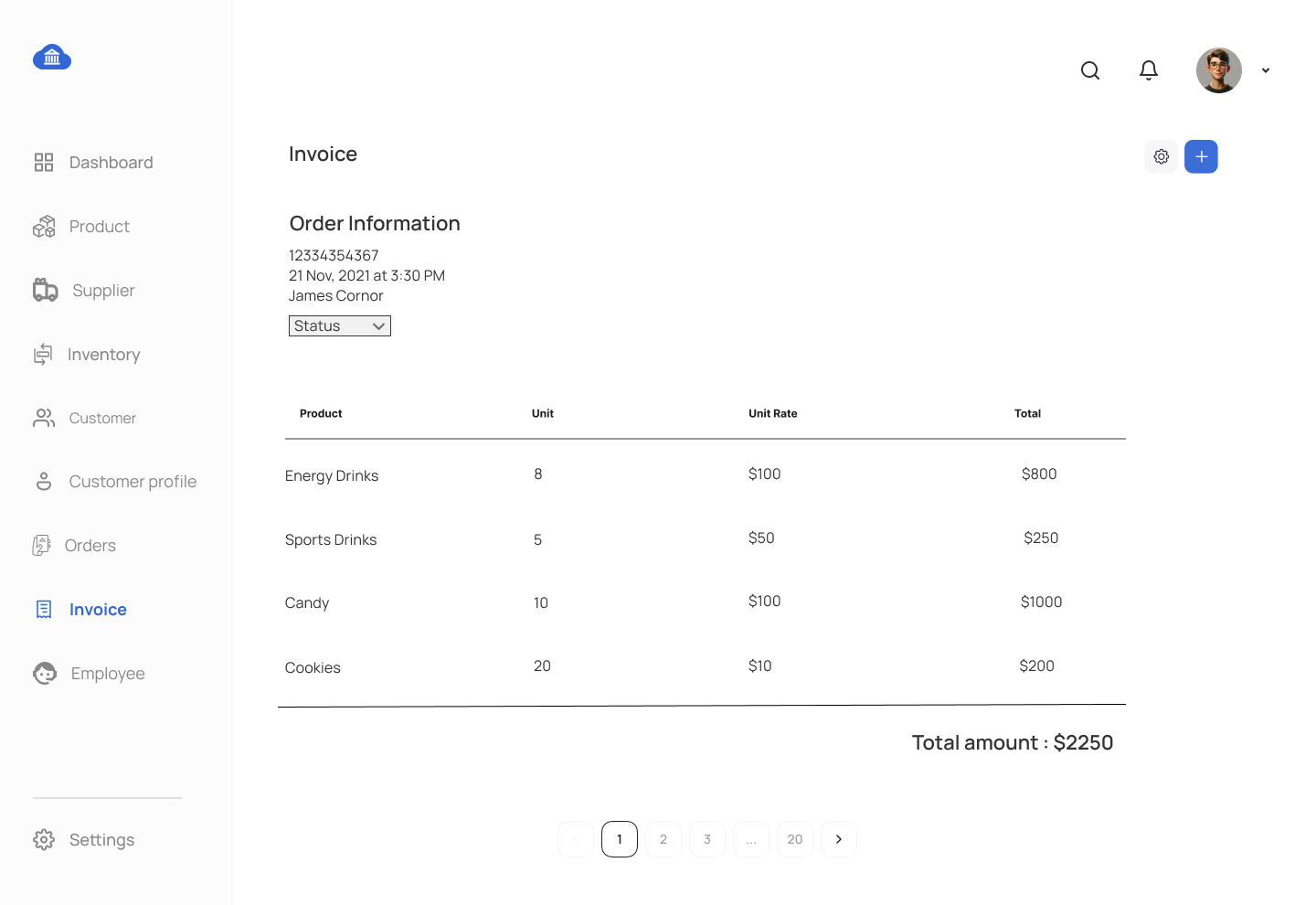
order_idas a primary key with auto-increment functionality.product_idas a foreign key referencing the PRODUCT table, not null.unitsas a integer, not null.unit_rateas a decimal (10, 2), not null.total_amountas a decimal (10, 2), not null.created_atas a datetime field, default it to system timestamp, not null.
Question 10: Create the PAYMENT Table
Define a PAYMENT table with the following specifications:
payment_idas a primary key with auto-increment functionality.payment_dateas a date, not null, with the default value being the current date.amount_paidas a decimal (10, 2), not null.order_idas a foreign key referencing the ORDER table, not null.created_atas a datetime field, default it to system timestamp, not null.
Question 11: Define the EMPLOYEE Table with Relationships
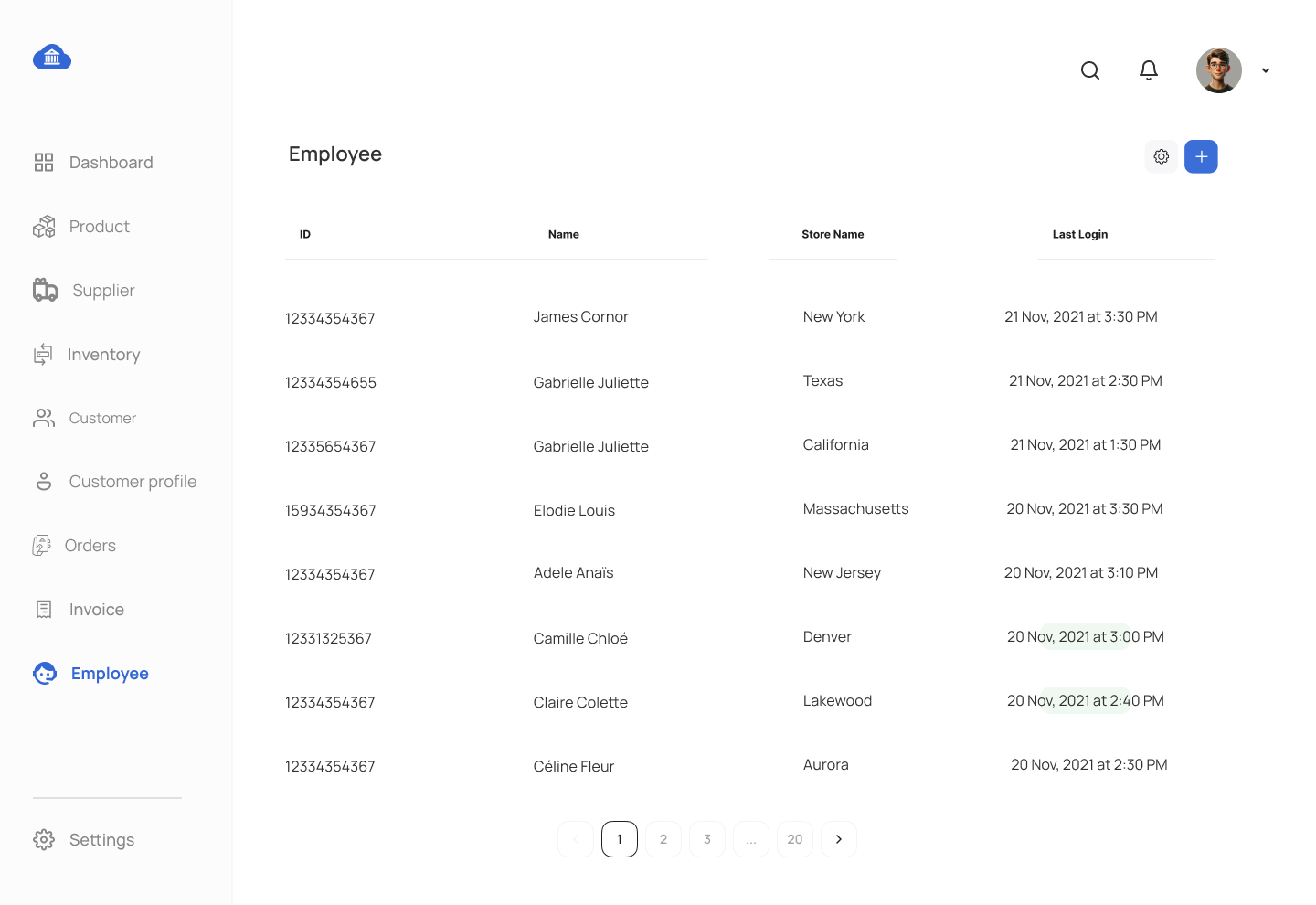
Write the SQL statement to create an EMPLOYEE table that includes:
employee_idas a primary key with auto-increment functionality.first_nameandlast_nameas strings, both not null.emailas a unique string, not null.hire_dateas a date field, not null.salaryas a decimal (10, 2), not null.store_idas a foreign key referencing the STORE table.created_atas a datetime field, not null.
Question 12: Create the EMPLOYEE_LOGIN Table
Write a DDL SQL statement to create an EMPLOYEE_LOGIN table (one-to-one relationship with employee table):
employee_idas a foreign key referencing the EMPLOYEE table.login_idcan use alpha numeric login id or email as login id, not null.passwordmust encrypt the password before storing it in the database table.active_flaguse numeric, 0 or 1, you can lock the customer login when required, not null.last_login_datetimeas a timestamp, last successfull login date for a given customer.
Question 13: Create the DISCOUNT Table
Write a DDL SQL statement to create a DISCOUNT table:
discount_idas the primary key with auto-increment functionality.discount_codeas a string, unique and not null, not null.discount_percentageas a decimal (5, 2), not null.created_atas a datetime field, default it to system timestamp, not null.- Add a
CHECKconstraint to ensure that thediscount_percentageis between 0 and 100.
Question 14: Create the AUDIT_LOG Table
Define an AUDIT_LOG table to track changes in the store system:
log_idas a primary key with auto-increment functionality.log_dateas a date field, not null.actionas a string to describe the action performed.employee_idas a foreign key referencing the EMPLOYEE table.
Question 15: Create the RETURN_POLICY Table with Constraints
Write a DDL SQL statement to create a RETURN_POLICY table:
policy_idas a primary key with auto-increment functionality.return_window_daysas an integer, not null.- Add a
CHECKconstraint to ensurereturn_window_daysis greater than 0. restocking_feeas a decimal (5, 2), not null.created_atas a datetime field, default it to system timestamp, not null.
Question 16: Define the ORDER_DISCOUNT Table
Write the SQL statement to create a many-to-many relationship between suppliers and products. This will require the ORDER_DISCOUNT table, which includes:
order_idas a foreign key referencing the ORDER table.discount_idas a foreign key referencing the DISCOUNT table.created_atas a datetime field, default it to system timestamp, not null.
Question 17: Add a Column to the EMPLOYEE Table
Write a SQL statement to add a phone_number column of type VARCHAR(15) to the EMPLOYEE table.
Question 18: Alter a Column in the CUSTOMER Table
Write a SQL statement to alter the email column in the CUSTOMER table, increasing its length to 255 characters.
Question 19: Drop a Column from the PRODUCT Table
Write a SQL statement to drop the quantity_in_stock column from the PRODUCT table.
Question 20: Rename the RETURN_POLICY Table
Write a SQL statement to rename the RETURN_POLICY table to STORE_POLICY.
Question 21: Drop the STORE_POLICY Table
Write a SQL statement to drop the STORE_POLICY table.
Question 22: Add a Primary Key to existing table
Add a composite primary key to the INVENTORY table on store_id and product_id columns.
Question 23: Add a Primary Key to existing table
Add a composite primary key to the SUPPLIER_PRODUCT table on supplier_id and product_id columns.
Question 24: Alter the STORE Table to Add a Foreign Key
Write a SQL statement to add a city_id column to STORE Table along with foreign key referencing the CITY table.
Question 25: Add a Foreign Key to the INVENTORY Table
Add a foreign key in the INVENTORY table to reference the SUPPLIER table.
Question 26: Drop a Foreign Key on the EMPLOYEE Table
Remove the foreign key in the EMPLOYEE table that references the STORE table.
Question 27: Add a CHECK Constraint on the ORDER_PRODUCT Table
Write a SQL statement to add a CHECK constraint to the ORDER_PRODUCT table ensuring that the units is greater than 0.
Question 28: Add a CHECK Constraint on the ORDER Table
Write a SQL statement to add a CHECK constraint to the ORDER table ensuring that the order_status is in (Accepted, Packing, Ready for Delivery, Shipping, Delivered, Paid, Closed).
Question 29: Add a UNIQUE Constraint on the ORDER_PRODUCT Table
Write a SQL statement to add a UNIQUE constraint on the ORDER_PRODUCT table to prevent duplicate product_id values for a given order_id.
Question 30: Add a DEFAULT Constraint on the ORDER_PRODUCT Table
Write a SQL statement to add a DEFAULT constraint on the ORDER_PRODUCT table to automatically calculate the total_amount as the product of units and unit_price.
Question 31: Add a DEFAULT Constraint on the EMPLOYEE Table
Write a SQL statement to add a current system timestamp DEFAULT constraint to the EMPLOYEE table on the created_at column.
Question 32: Add Indexes to the PRODUCT and CUSTOMER Tables
Write SQL statements to:
- Add an index on the
product_namecolumn in the PRODUCT table. - Add an index on the
last_namecolumn in the CUSTOMER table.
Question 33: Drop an INDEX on the CUSTOMER Table
Write a SQL statement to drop the index on the last_name column in the CUSTOMER table.
Question 34: Enforce UNIQUE Constraints on all applicable Tables
Apply UNIQUE constraints to columns across the entire database wherever duplicate data is not permitted.
GOOD LUCK WITH YOUR ASSIGNMENT!!!
Don't forget to contact us if you need any further assistance with your assignments, and most importantly, for a manual review and approval of your work.
To gain complete access, login with gmail or outlook, no need of signup. click here
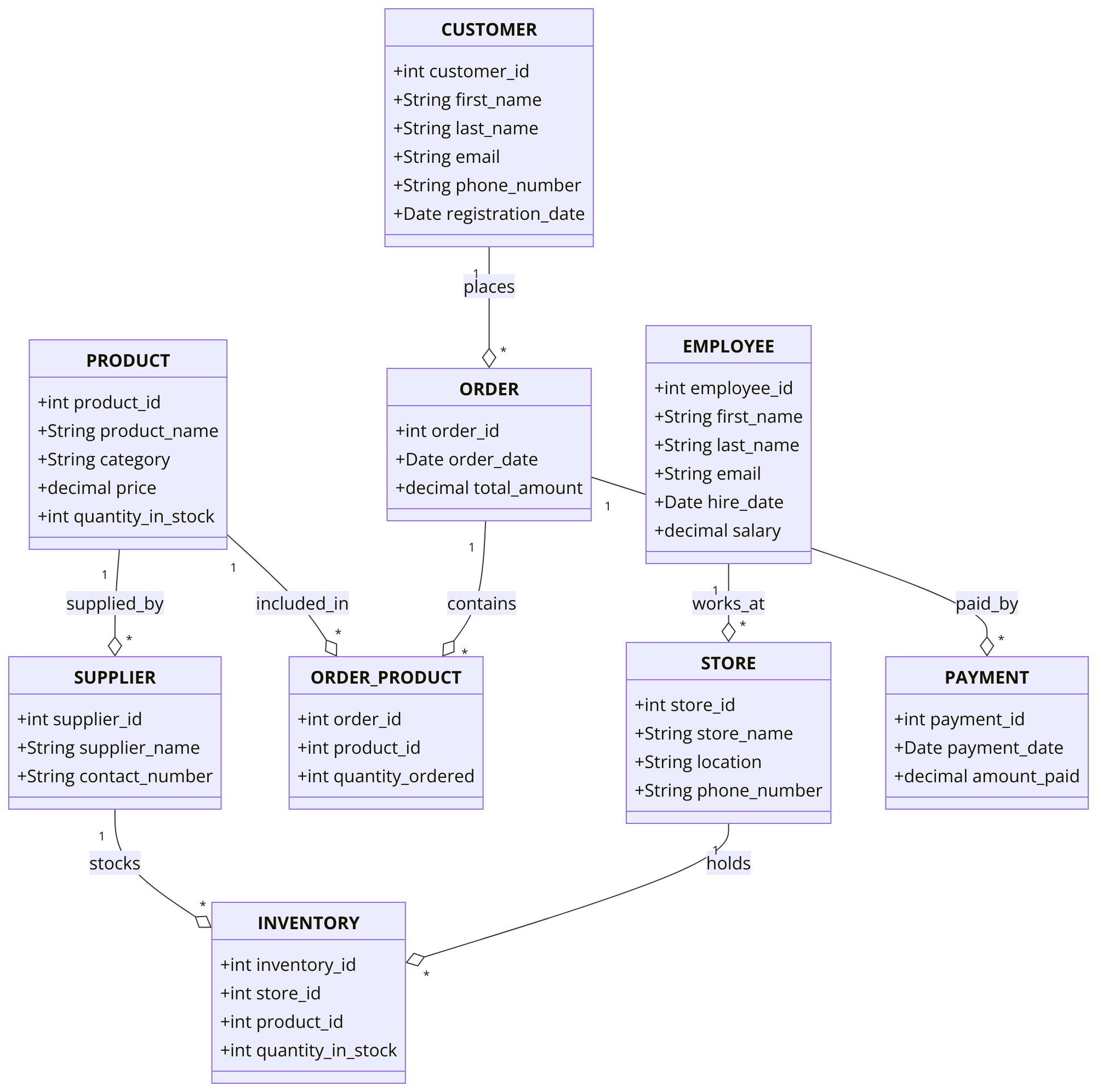
Sample ERD Data Model for Store Management System
Database project tasks for Store Management System in SQL
Comments Not Found