
Microsoft SQL Server
Chapter 10 - Projects
Final Capstone Project 2: Food Delivery System in MS SQL Server
Objective:
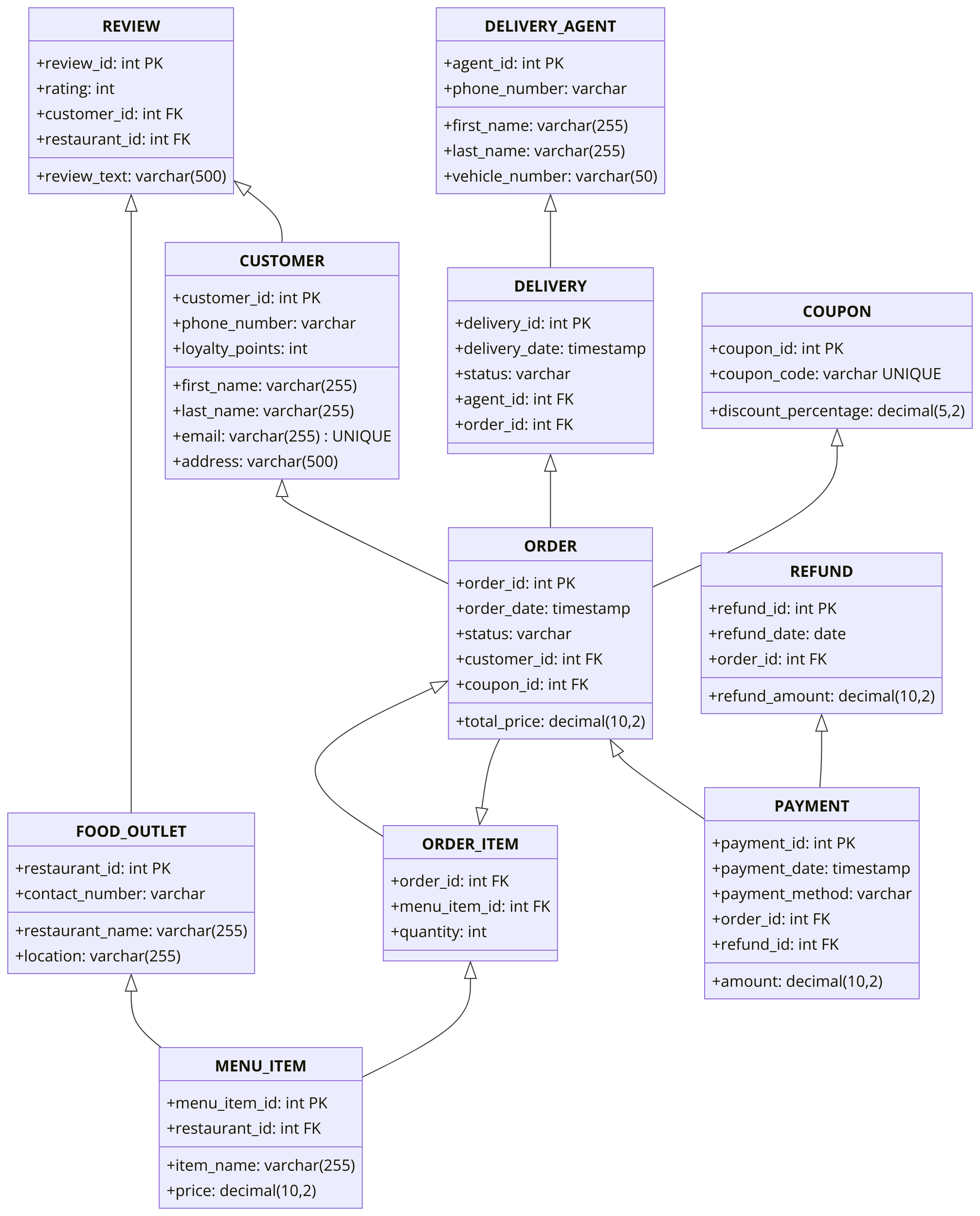
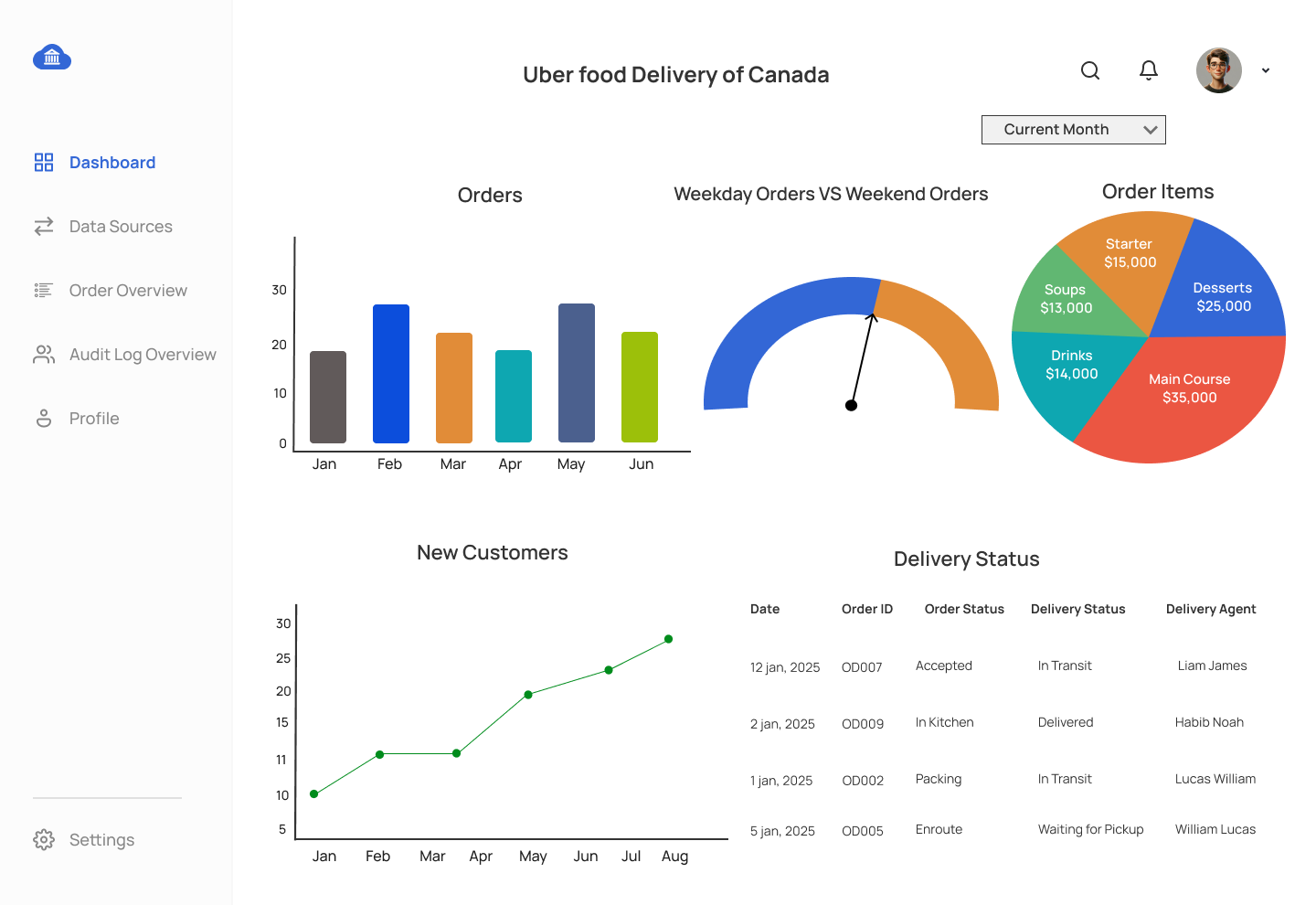
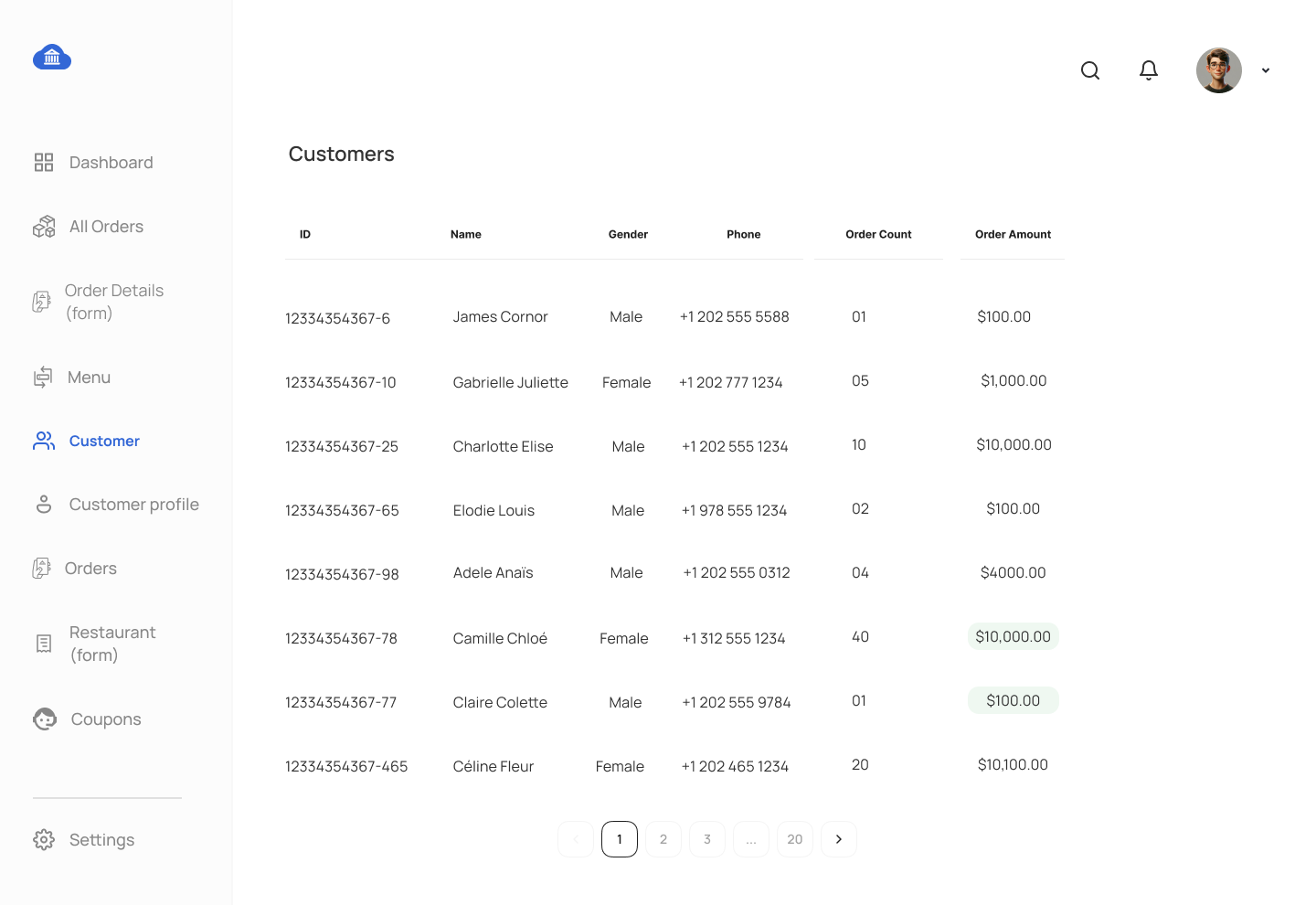
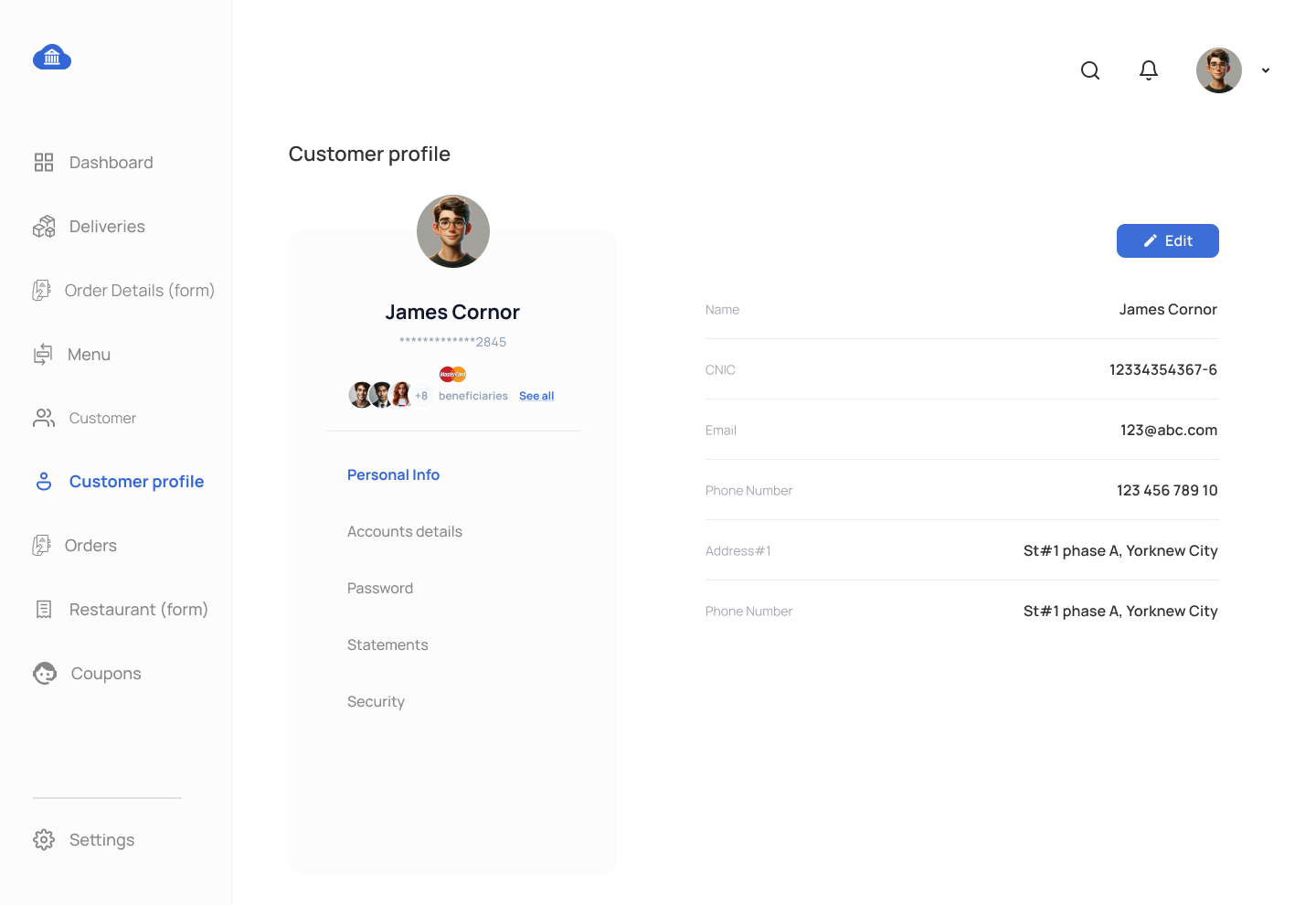
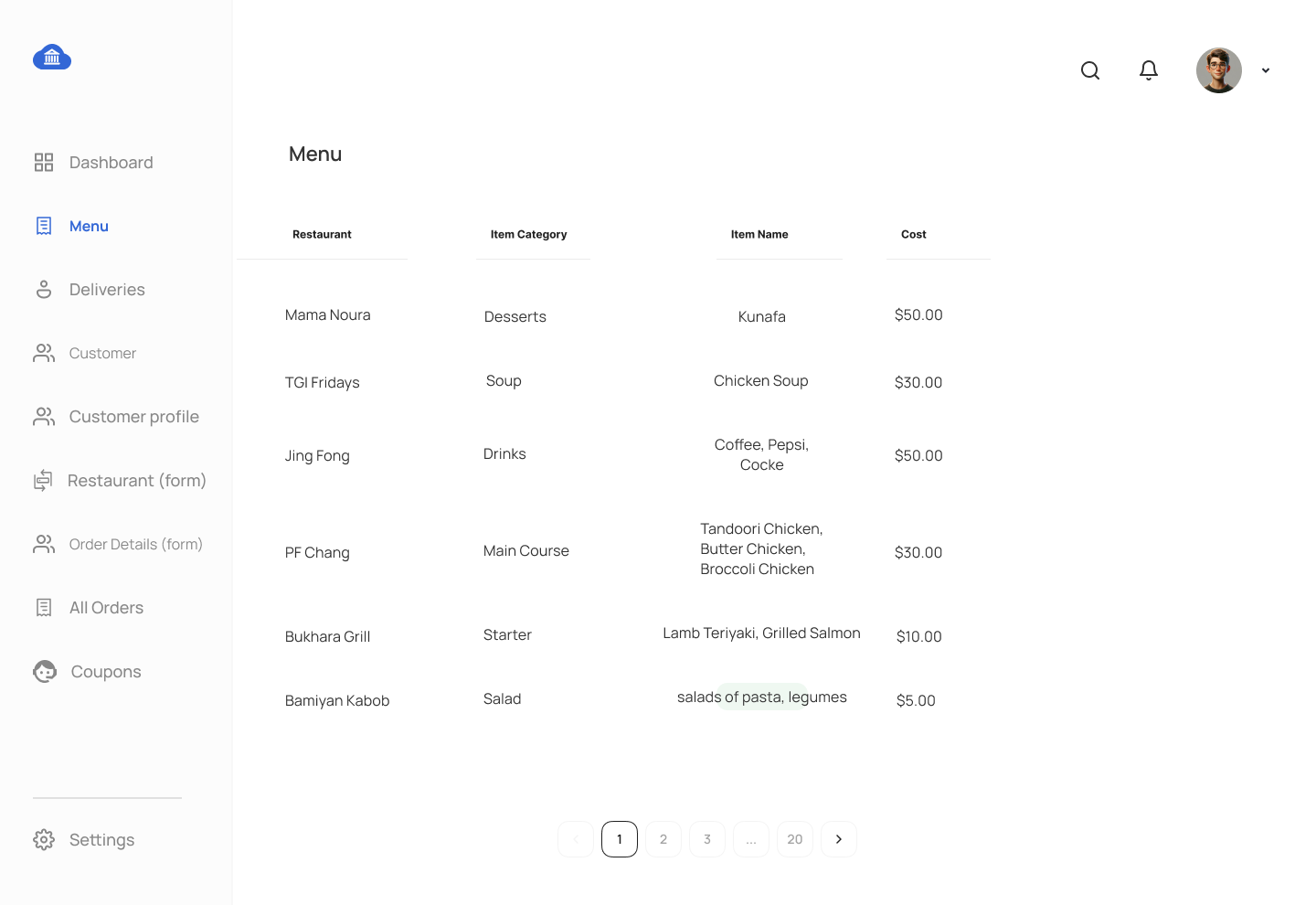
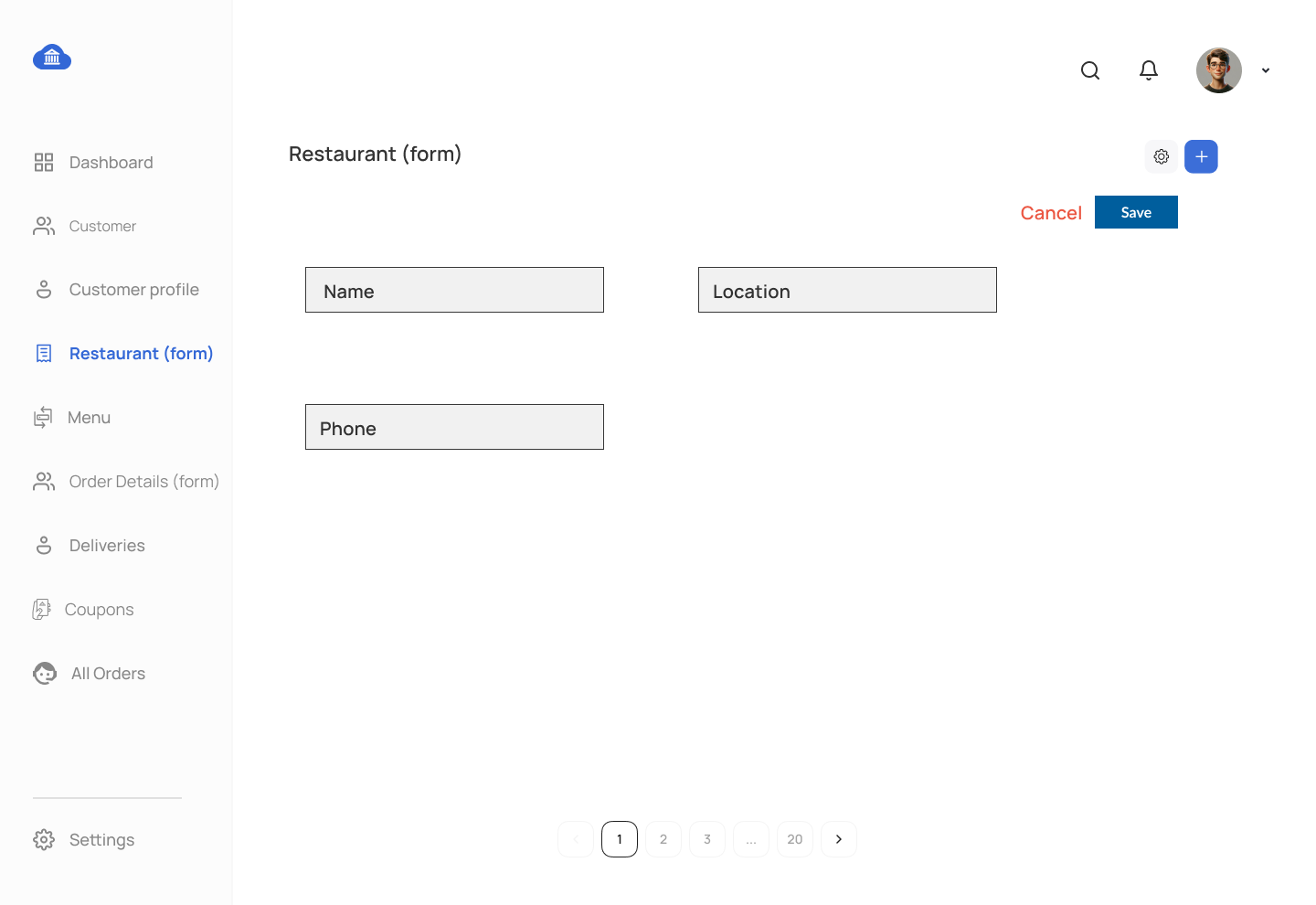
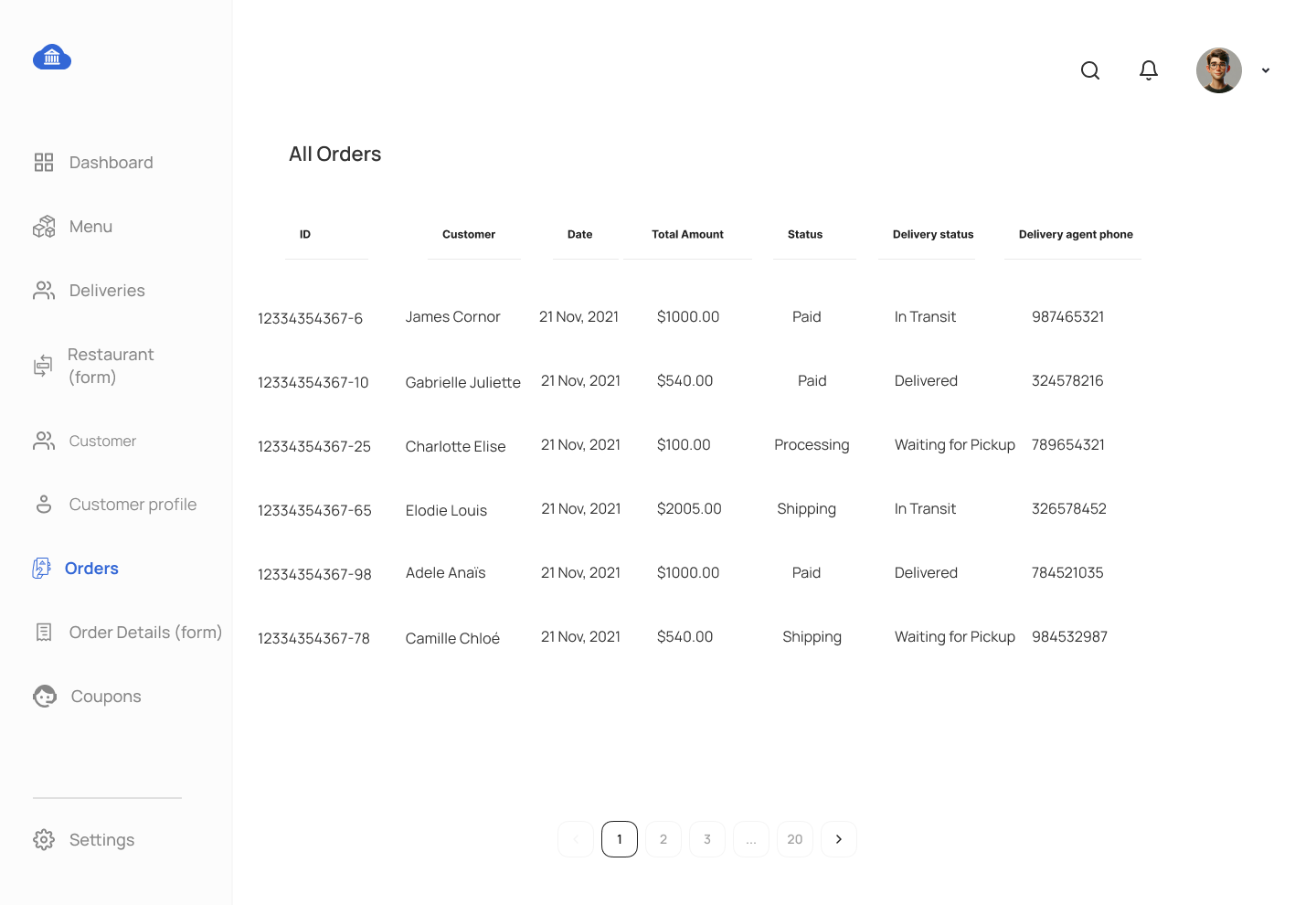
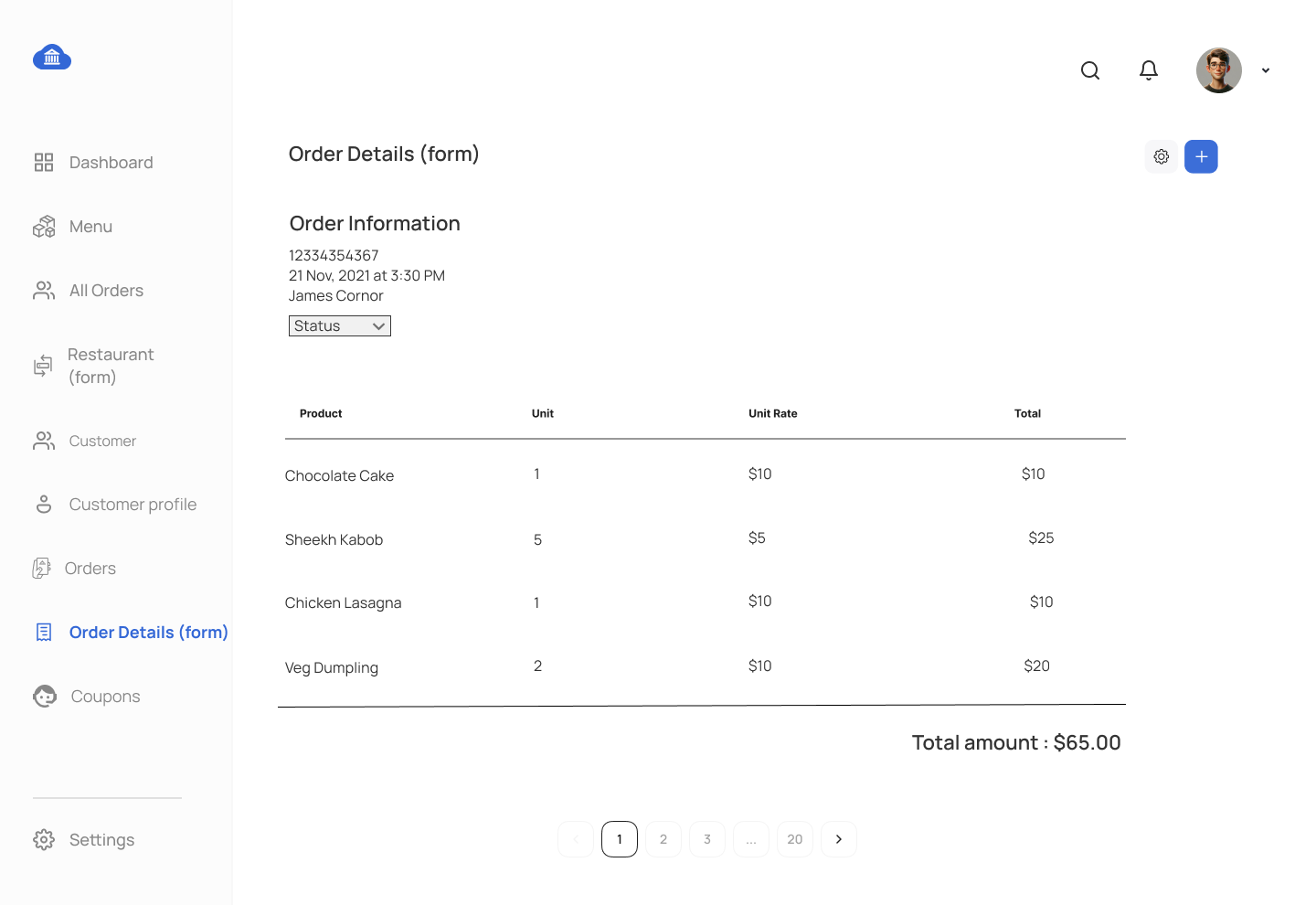
This assignment focuses on building a comprehensive Food Delivery System using MS SQL Server. You will develop database tables, views, stored procedures, triggers, and relationships that align with the proposed UI for managing customers, restaurants, orders, and deliveries. You will develop database views, stored procedures, and triggers based on the proposed UI mockup displayed at the bottom of this webpage. Students are required to utilize the tables created during the Chapter 5 DDL assignment.
Requirements:
- Complete previous DDL, DML, and DQL assignments to use table structures and data.
- Each SQL object (view, procedure, function, trigger) should be submitted as a separate
.sqlfile. - Provide a report explaining the purpose and function of each SQL object, detailing how it integrates with the UI.
Assignment Tasks:
Stored Procedure Tasks:
- Stored Procedure for Restuarant Information
- Create a stored procedure to fetch details of all restaurants.
- Stored Procedure for Menu Creation
- Create a stored procedure to insert data into the menu_item table.
- Stored Procedure for Delivery Management
- Create a stored procedure to update the order and delivery statuses.
- Stored Procedure for Orders Management
- Create a stored procedure to manage order data by inserting information into the order, order items, payment, and order coupon tables (Order coupon insert if applicable, as not all orders use coupons).
- Stored Procedure for Delivery Management
- Create a stored procedure for Delivery Management to insert delivery agent data and update the order status.
- Stored Procedure for Review Analysis
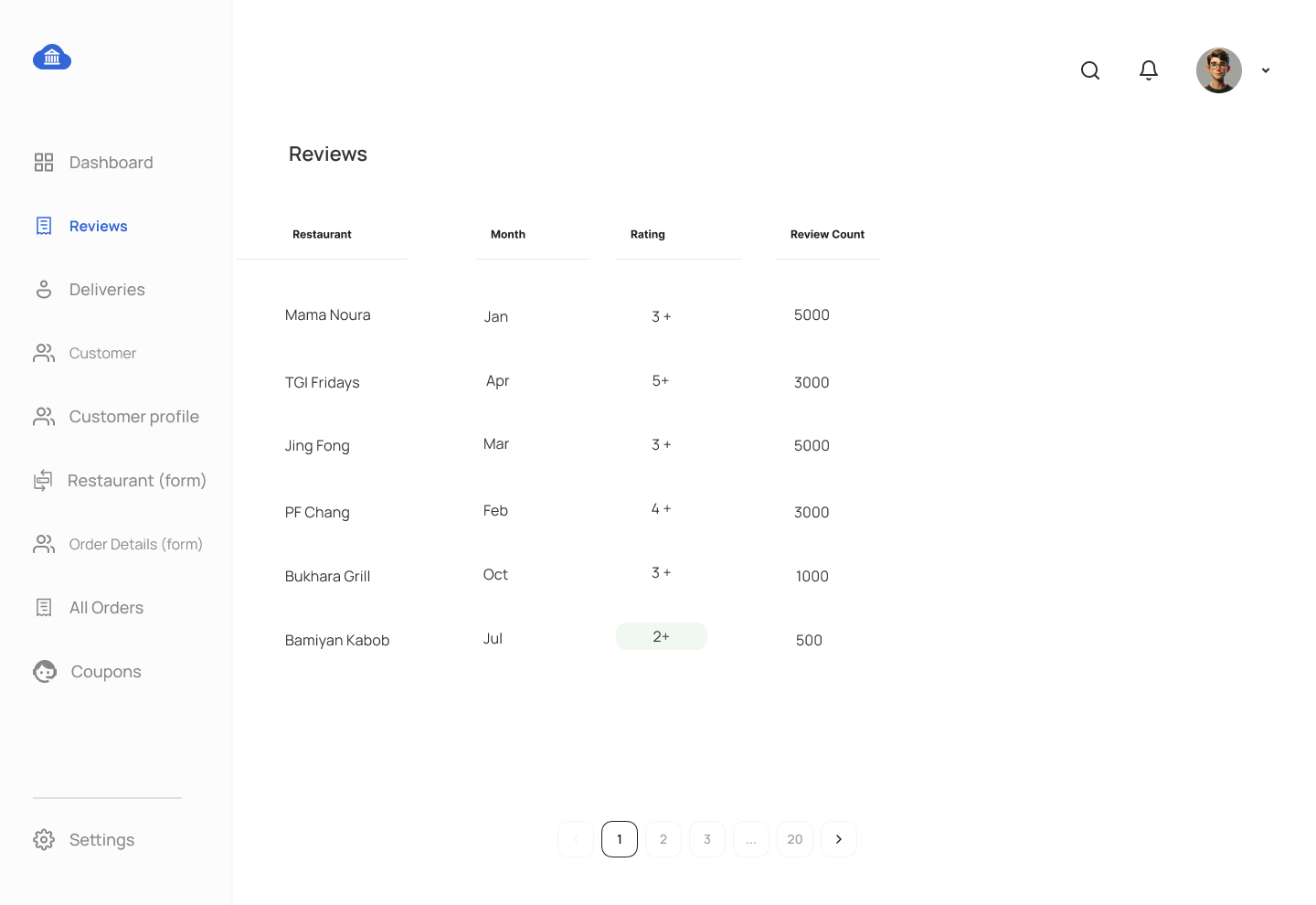
- Create a stored procedure for Review Analysis to retrieve the Month, Restaurant, Rating, and Review Count. Use a temporary table and date dimension table. Ensure that order months are displayed even if there are no reviews for a given month (LEFT JOIN).
- Stored Procedure for Collection Analysis
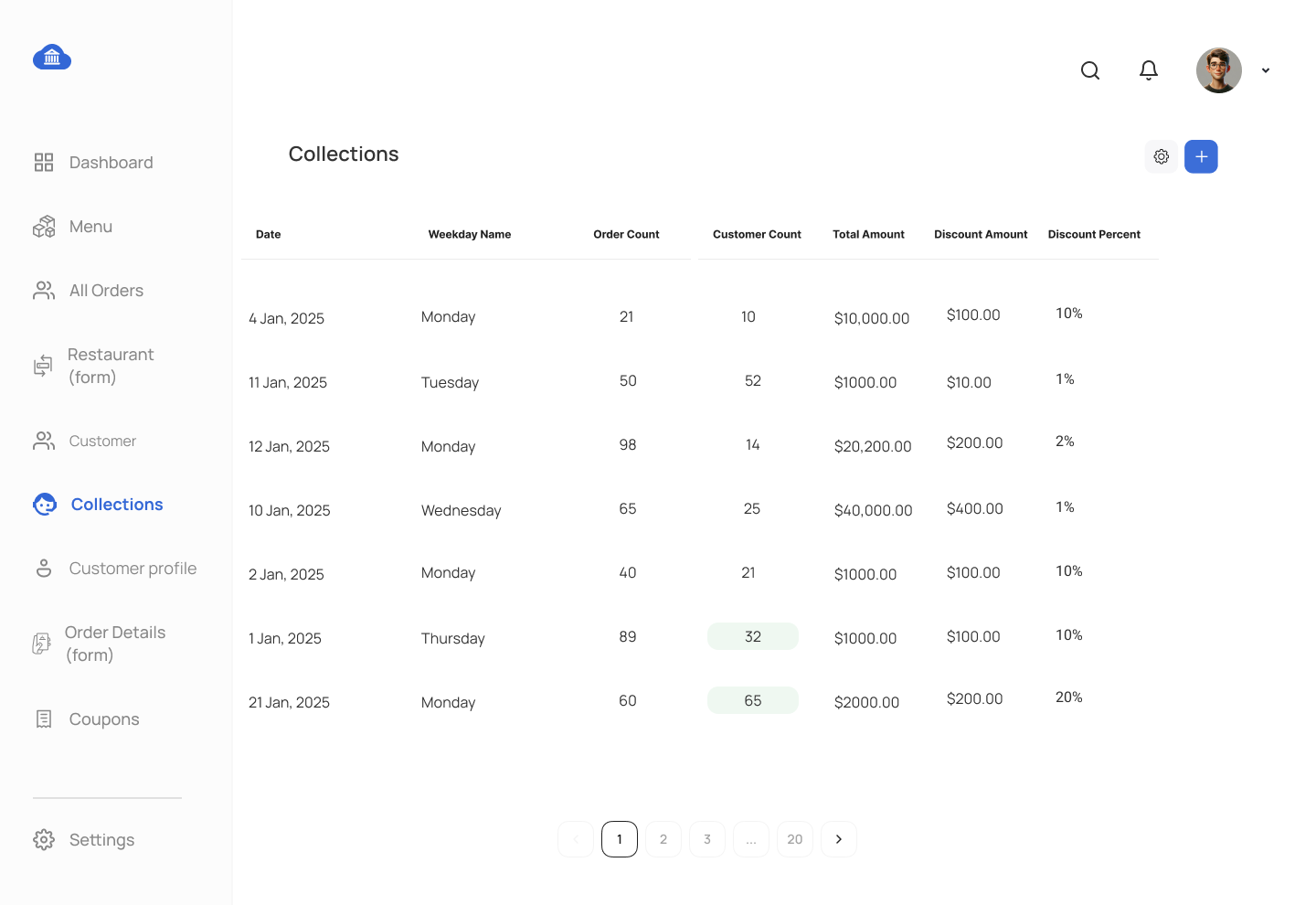
- Create a stored procedure for Collection Analysis to retrieve data for the collections data grid, including Date, Weekday Name, Order Count, Customer Count, Total Amount, Discount Amount, and Discount Percent.
View Tasks:
- View for Customer Informationw
- Create a view to display customer information from customer table.
- View for Order Overview
- Design a view to retrieve order details, including Order ID, Order Date, Customer Name, Amount, Order Status, Delivery Status, and Delivery Agent's Phone Number.
- View for Delivery Details
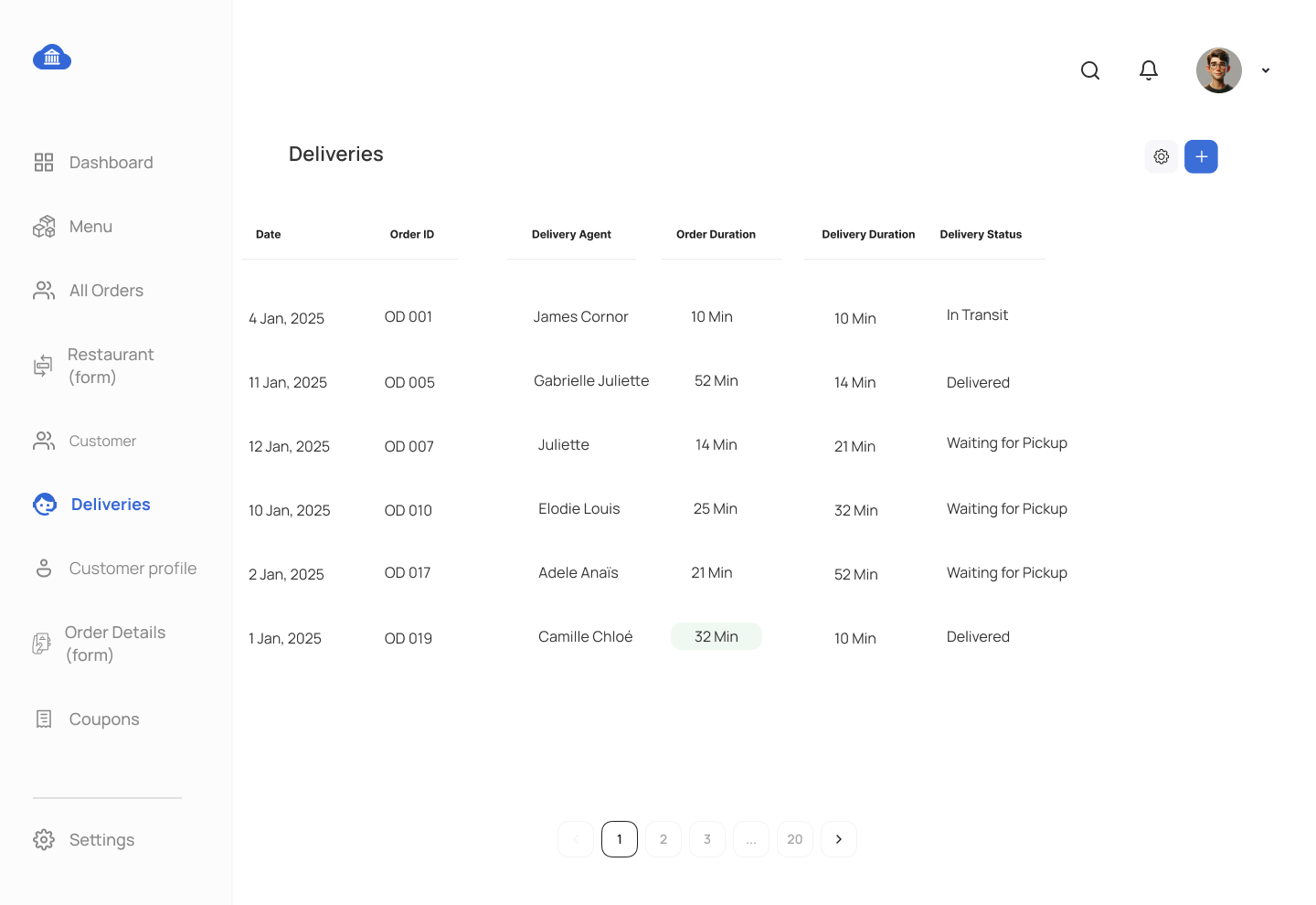
- Create a view to fetch delivery information, including Delivery Date, Order ID, Delivery Agent, Order Duration, Delivery Duration, and Delivery Status.
- View for Coupon Analysis
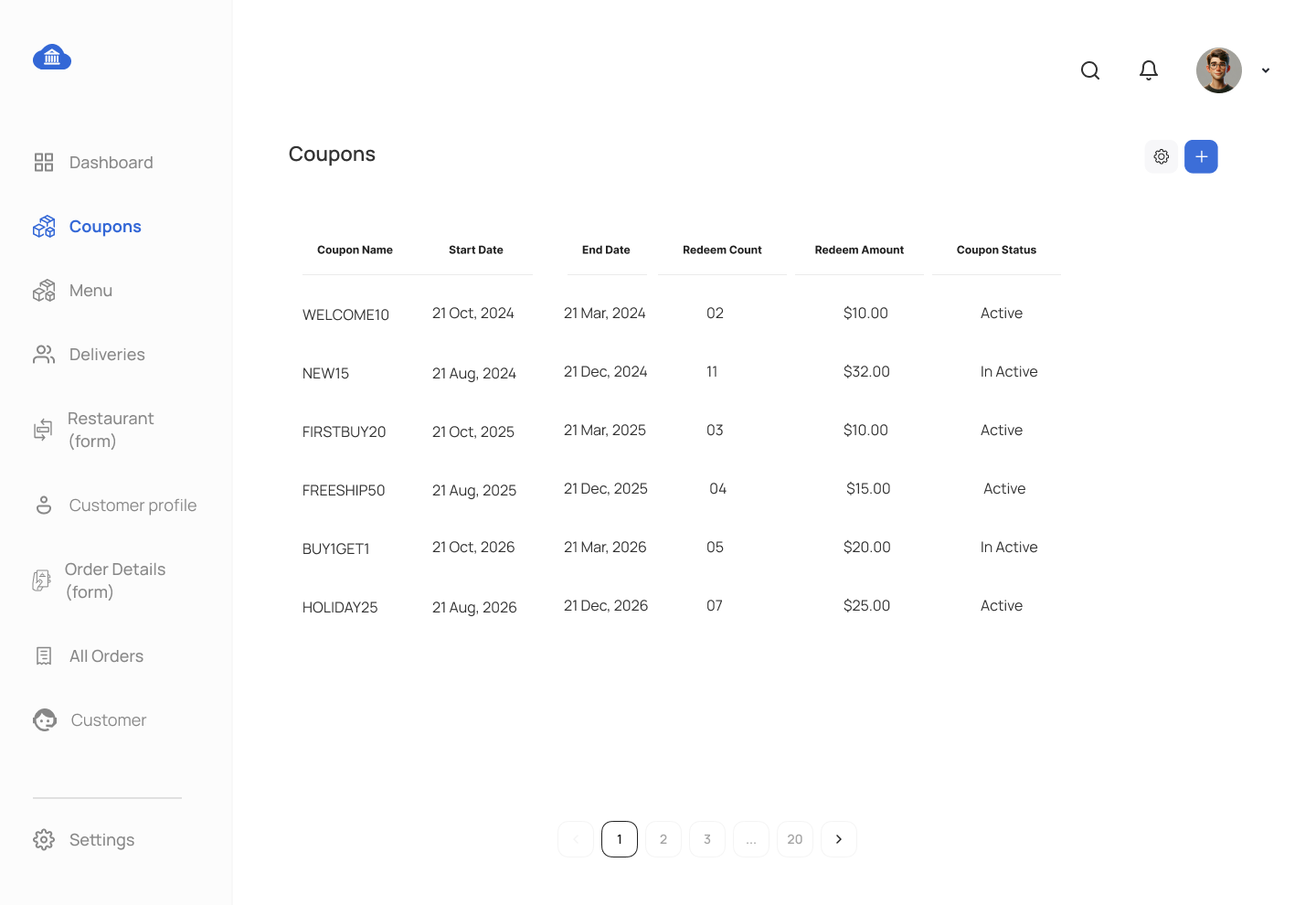
- Create a view to retrieve coupon analysis, including Coupon Name, Calendar Date, Redeem Count, and Redeem Amount. Display Redeem Amount as zero for calendar dates with no redeems. Use a JOIN with the date dimension table.
Function Tasks:
- Function to Calculate Total Orders by Customer
- Write a function to calculate the total number of orders placed by a specific customer.
- Function to Calculate Total Payments Received for a Restaurant
- Write a function that returns the total payments received by a restaurant based on all orders.
Trigger Task:
- Trigger on Order Status Change
- Create a trigger on the
ORDERtable that logs any changes to thestatusfield into theAUDIT_LOGtable. Capture theorder_id,old_status,new_status, andlog_date.
- Create a trigger on the
Submission Guidelines:
- Each SQL object (procedure, view, function, trigger) must be submitted as a separate
.sqlfile named accordingly. - Provide a report explaining the purpose of each SQL object and its relevance to the proposed UI.
This assignment involves creating a Food Delivery System using MS SQL Server. You will manage customers, restaurants, orders, and deliveries using advanced database objects such as stored procedures, views, functions, and triggers.
SAMPLE ERD DATA MODEL FOR FOOD DELIVERY SYSTEM
UX SCREENS FOR FOOD DELIVERY SYSTEM MOCKUP
Comments Not Found