
MySQL
Chapter 10 - Projects
Final Capstone Project 2: Student Management System in MySQL
Objective:
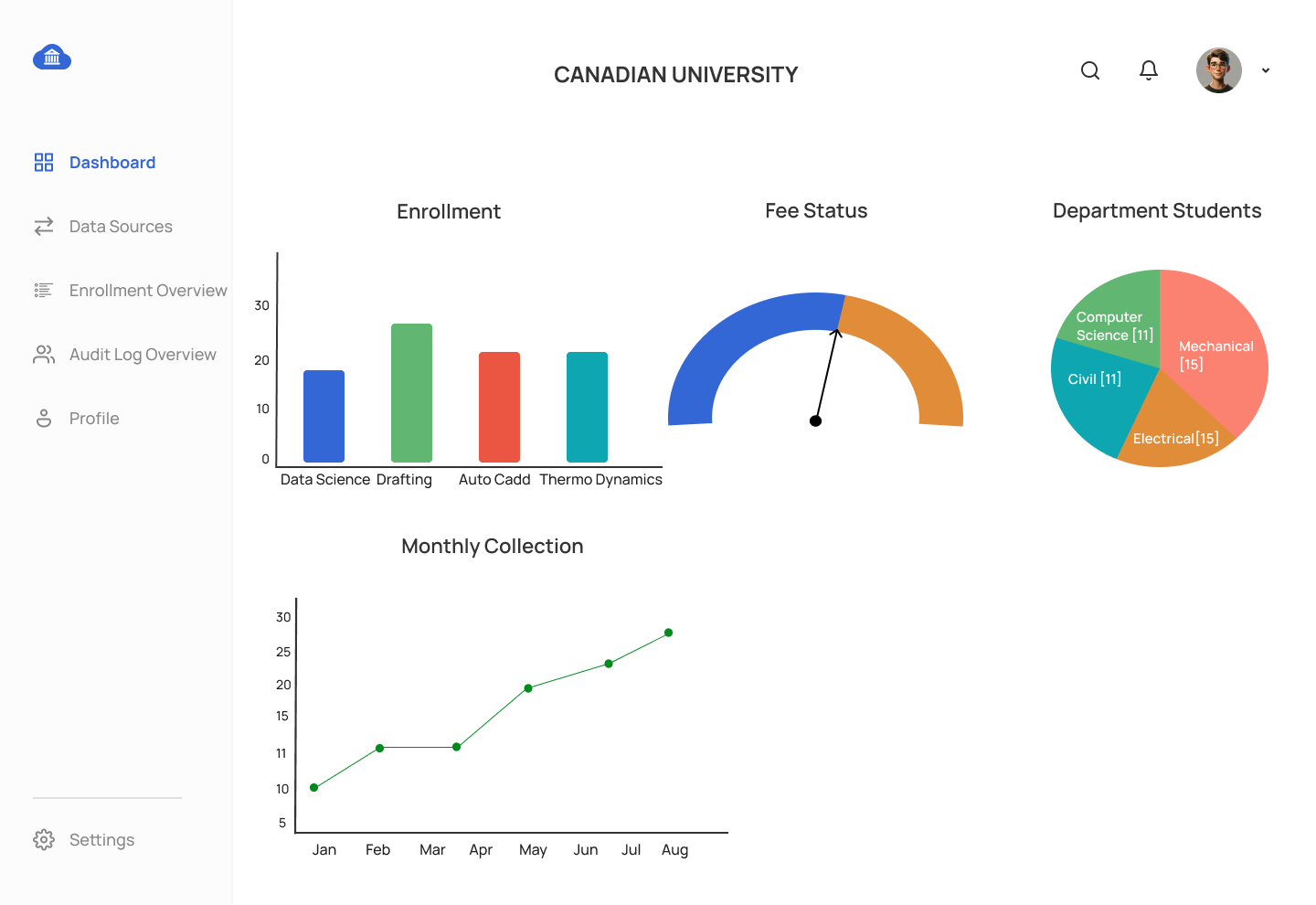
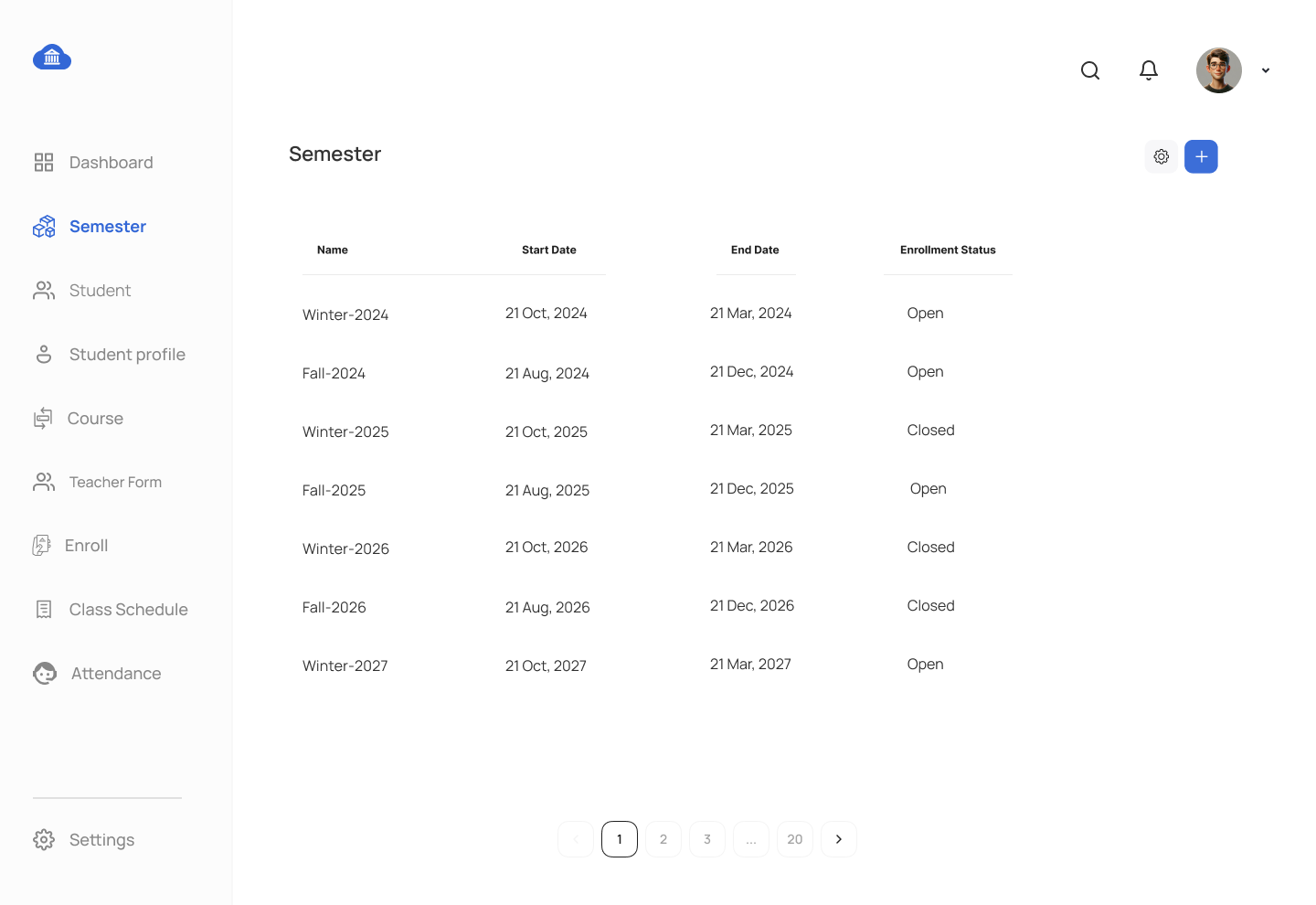
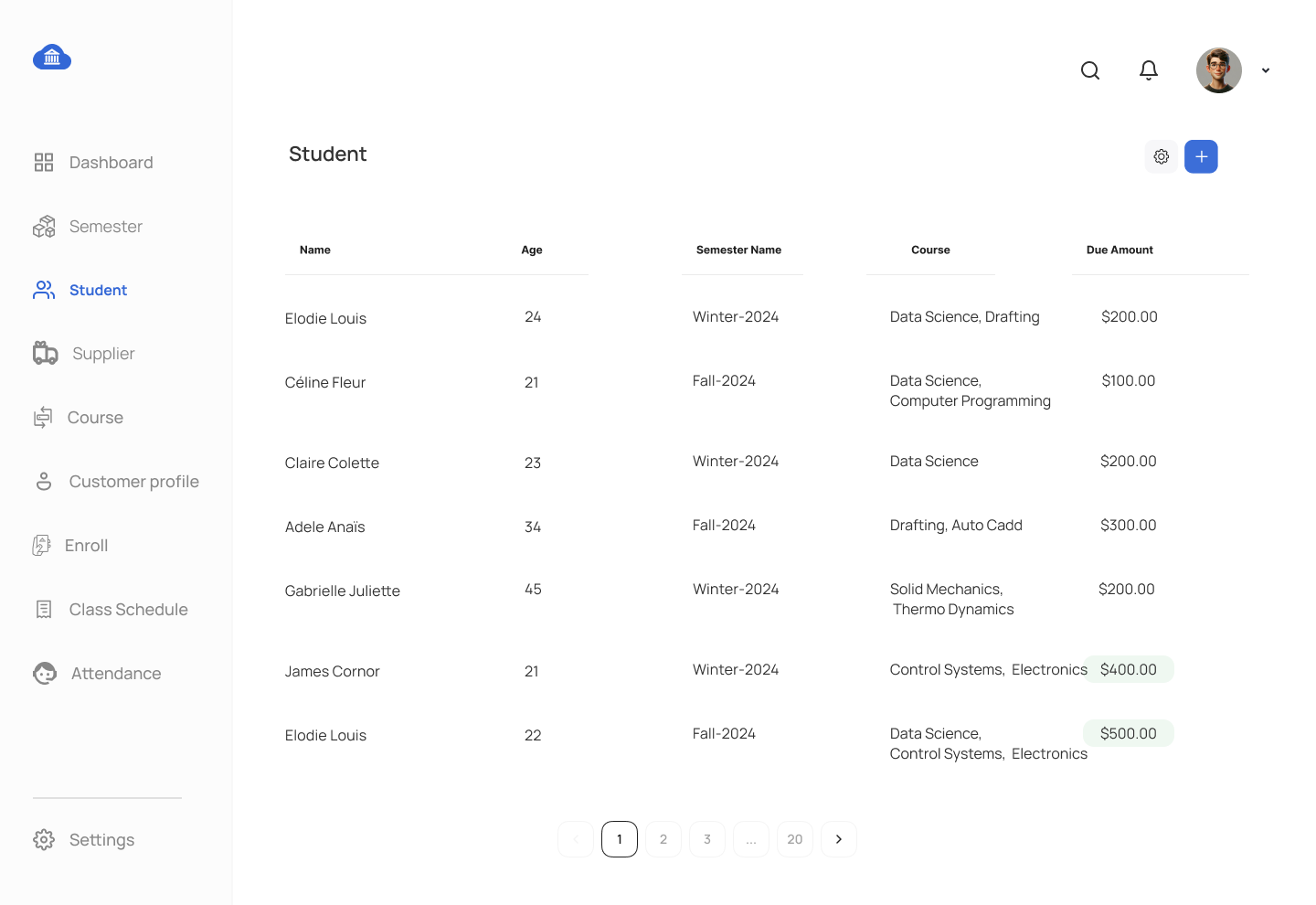
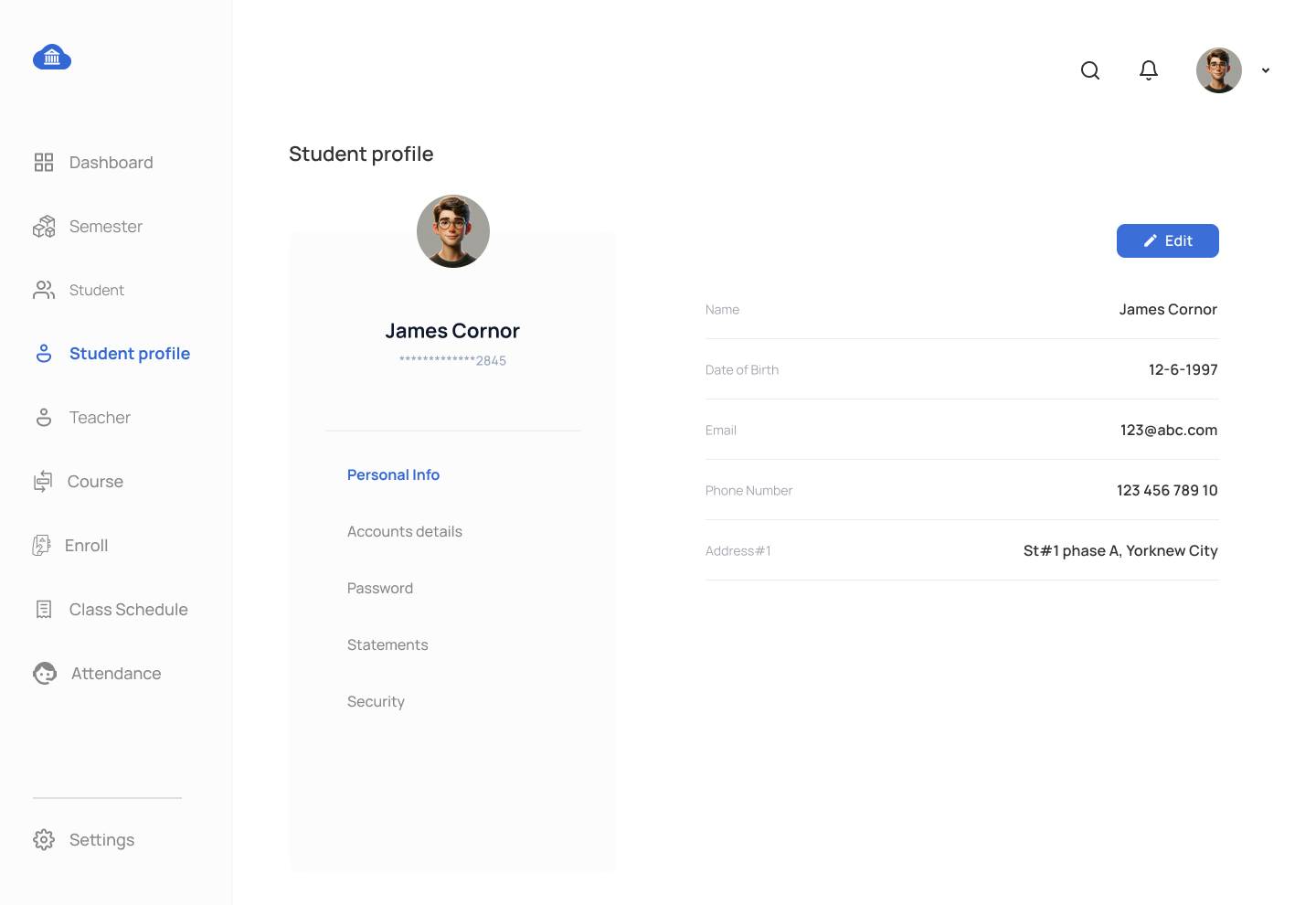
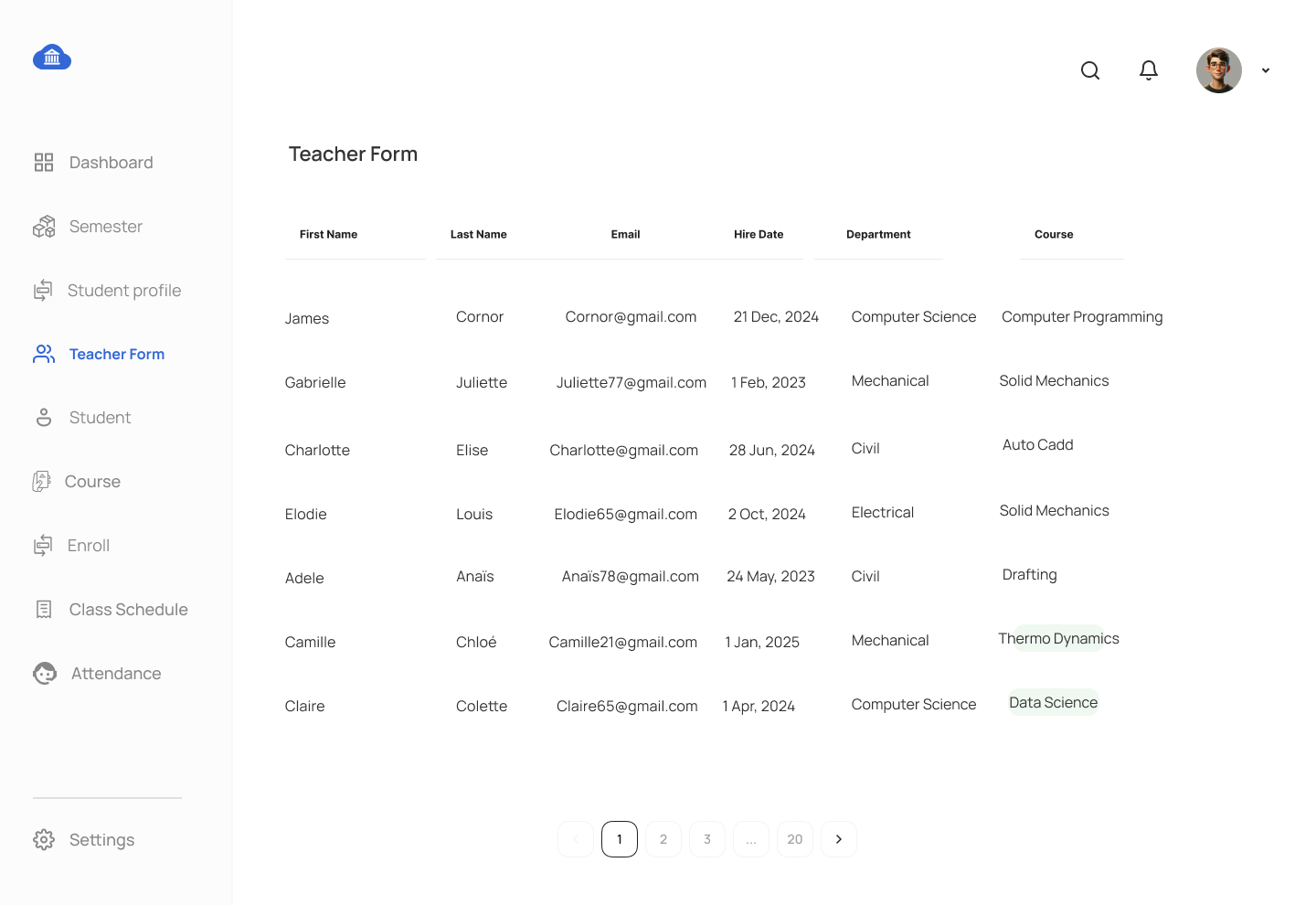
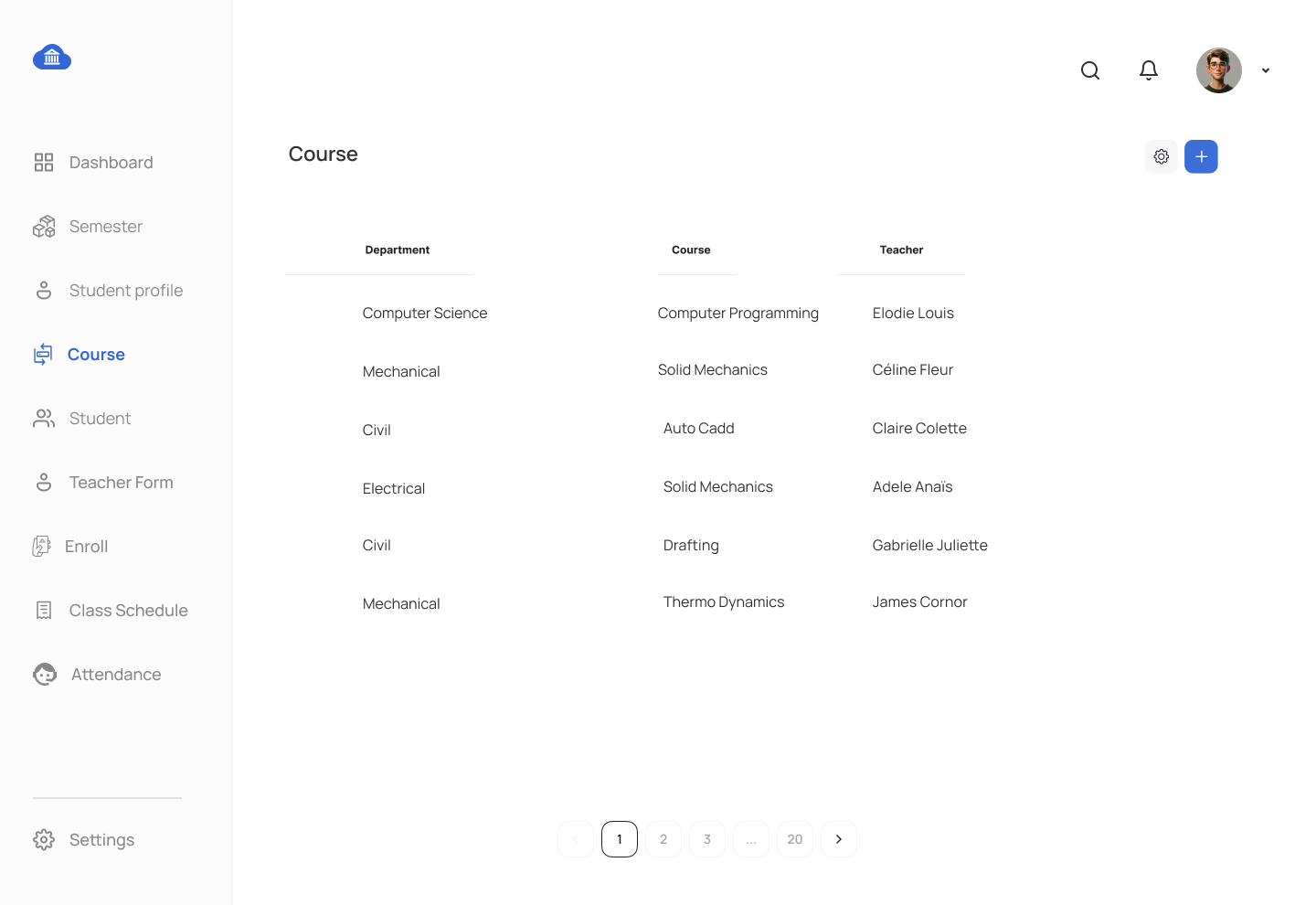
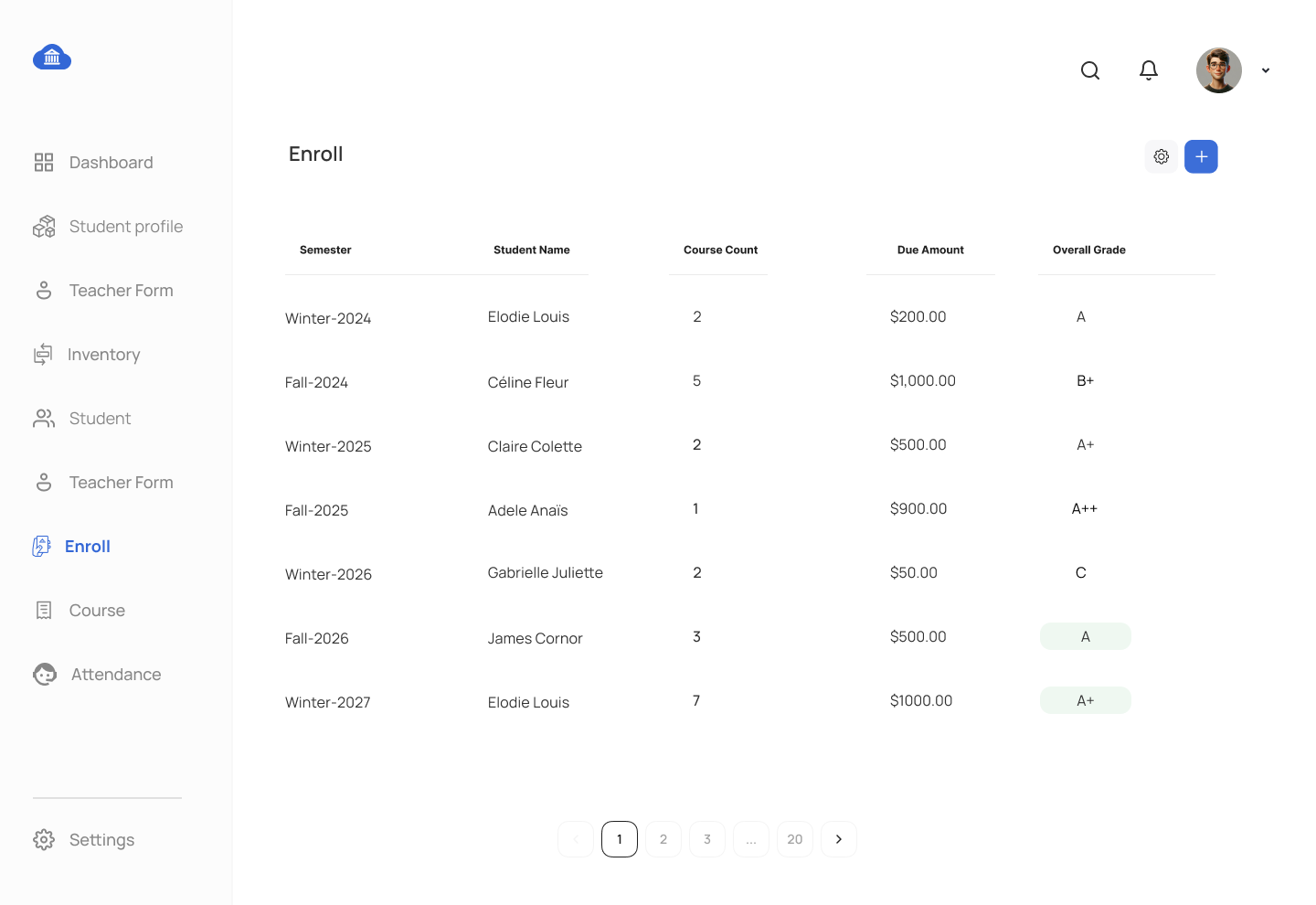
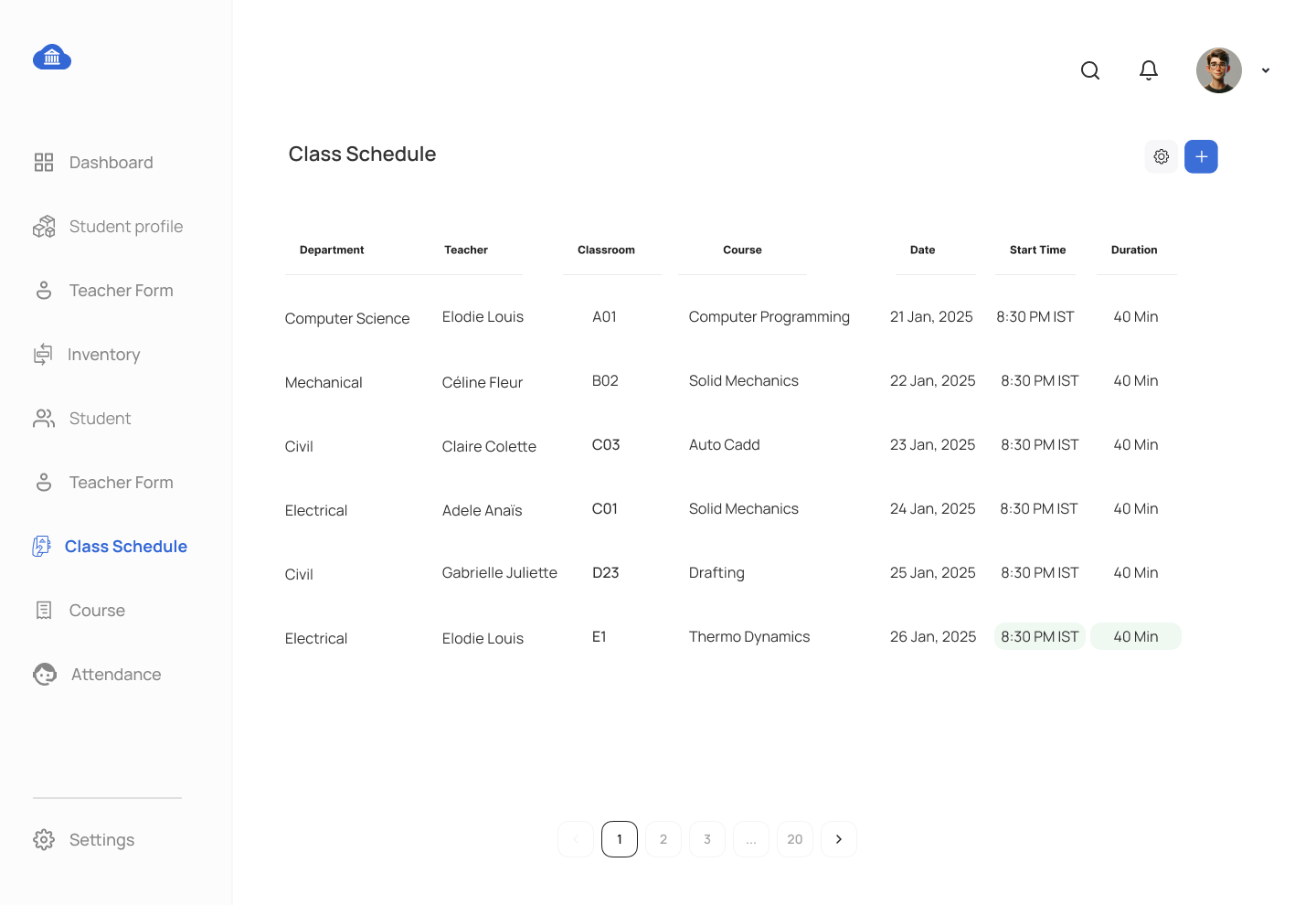
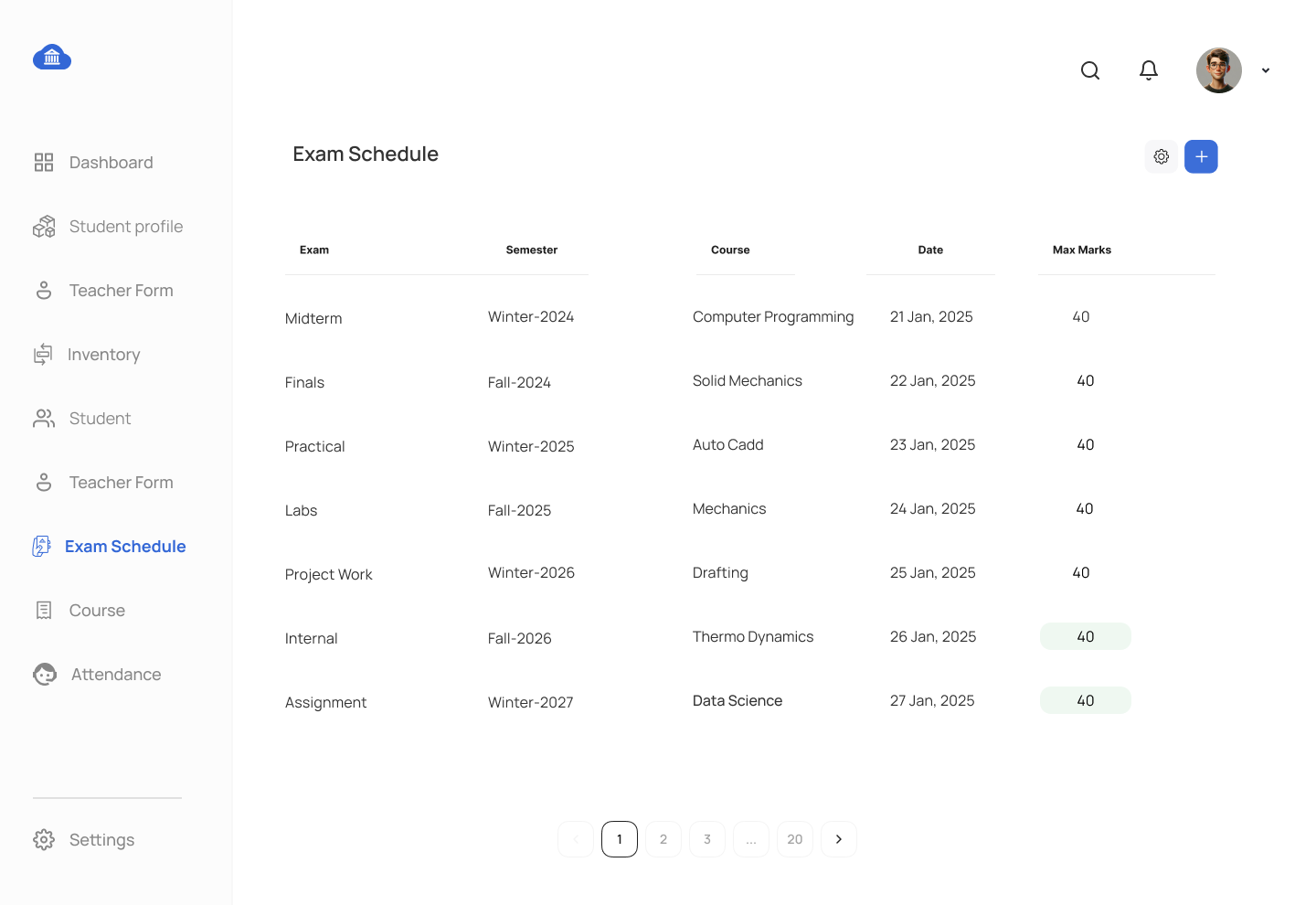
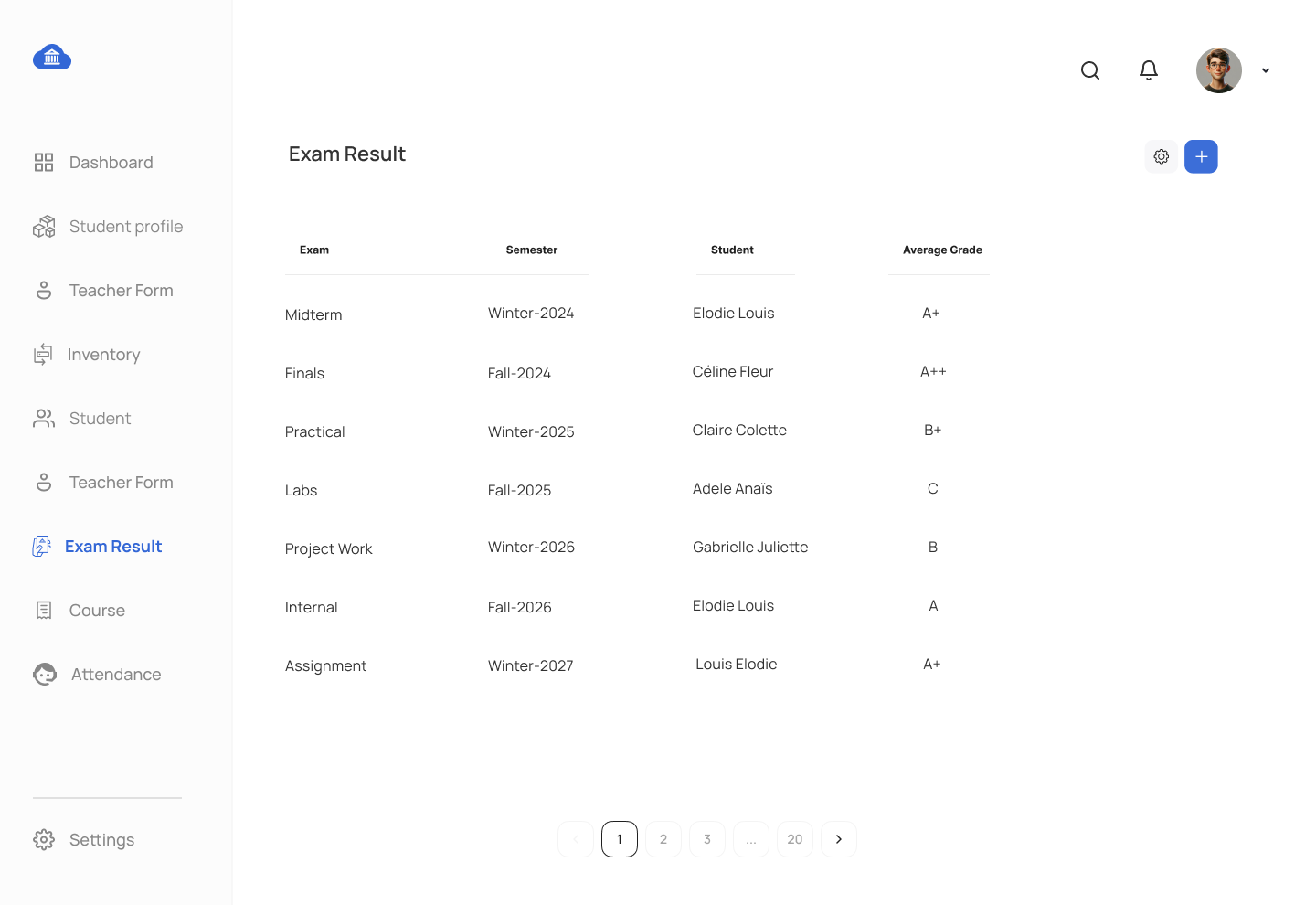
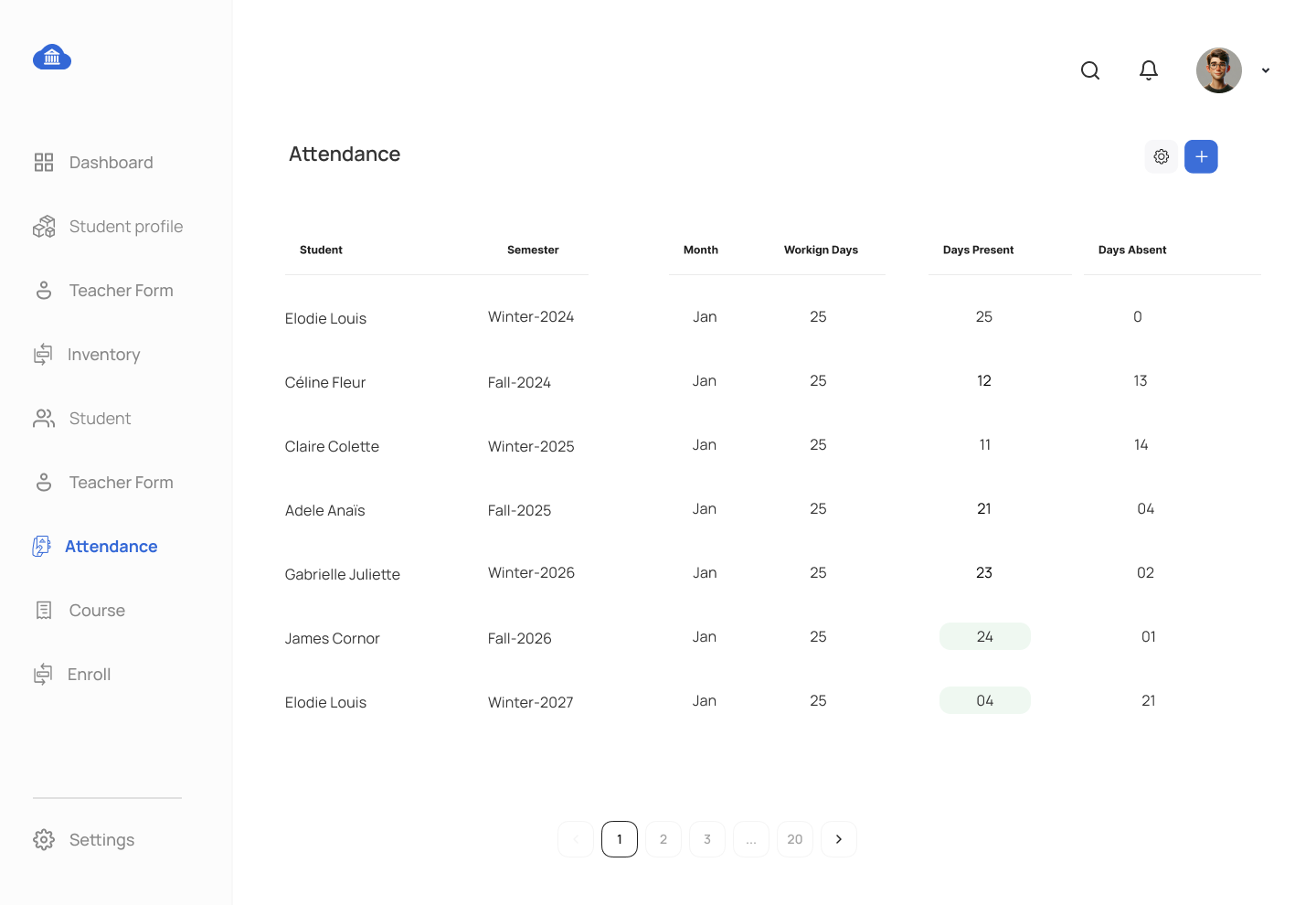
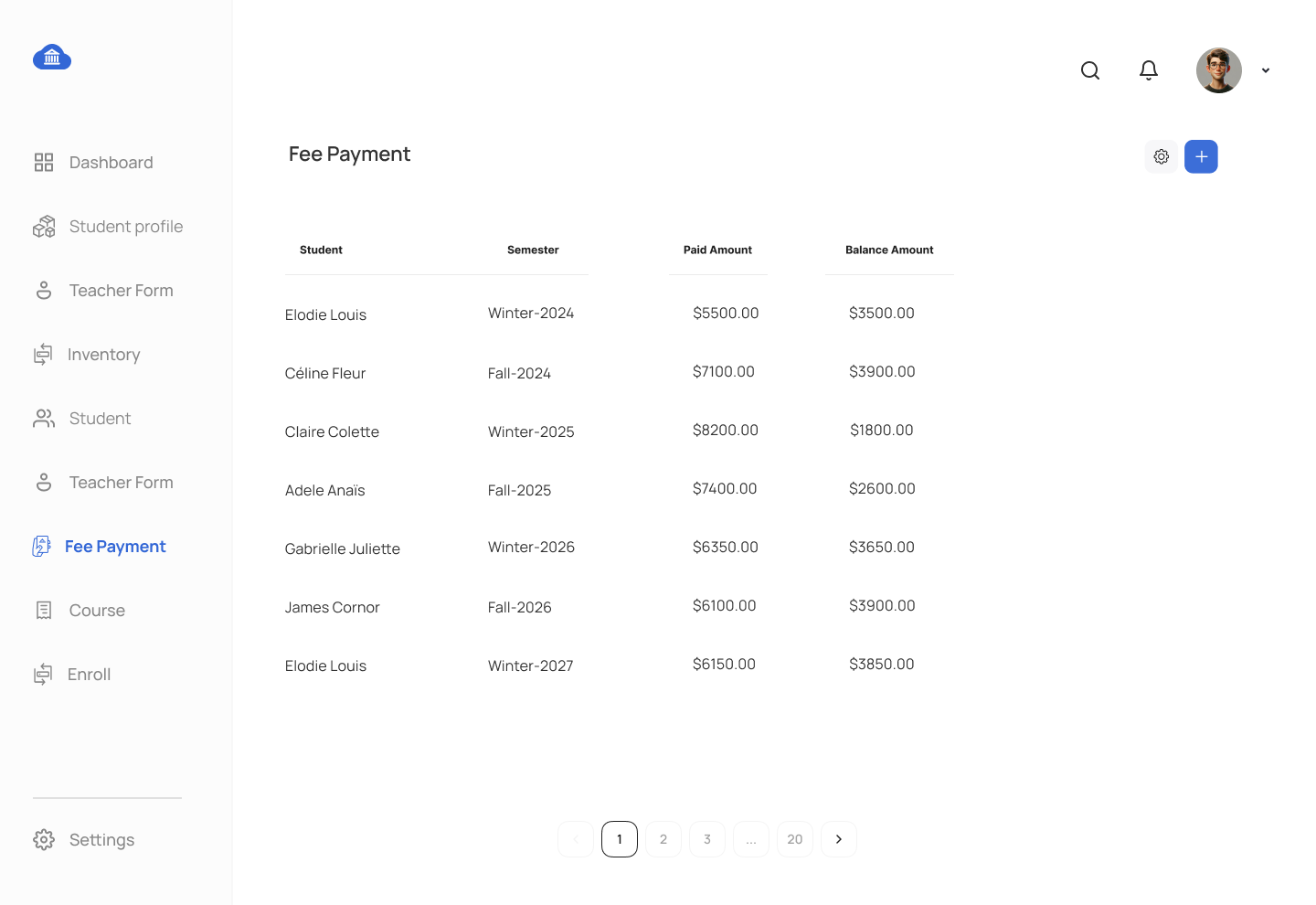
The purpose of this assignment is to practice advanced MySQL tasks like writing stored procedures, functions, views, and triggers for a Student Management System. You will develop database views, stored procedures, and triggers based on the proposed UI mockup displayed at the bottom of this webpage. Students are required to utilize the tables created during the Chapter 5 DDL assignment.
Requirements:
- Students must complete prior assignments on DDL,DML, and DQL to use existing table structures and data.
- Each SQL object (view, procedure, function, trigger) should be submitted as a separate
.sqlfile with the file name corresponding to the database object name. - Provide an explanation of each SQL object and its relationship to the web app functionality in a report.
Assignment Tasks:
Stored Procedure Tasks:
- Stored Procedure for Semester Management
- Write a stored procedure to insert data into
SEMESTERtable.
- Write a stored procedure to insert data into
- Stored Procedure for Teacher Management
- Write a stored procedure to update data in
TEACHERtable.
- Write a stored procedure to update data in
- Stored Procedure for Course Management
- Write a stored procedure to select data from
COURSEtable.
- Write a stored procedure to select data from
- Stored Procedure for Class Schedule Grid
- Develop a stored procedure that takes a class ID, teacher ID, room ID, start date, end date, start time, and end time as input parameters. The procedure should insert the provided details into the class schedule table while ensuring that no two classes are scheduled at overlapping times. Furthermore, it must enforce a rule that a room assigned to a specific department can only host classes for courses belonging to the same department..
- Stored Procedure for Exam Schedule
- Create a stored procedure that accepts an exam ID, exam date, maximum marks, room ID, and course ID as input parameters. The procedure should insert the provided details into the exam schedule table, ensuring that no two exams are scheduled at the same date and time. Additionally, it must enforce a rule that no two exams for different courses can occur on the same day.
- Stored Procedure for Exam Result
- Create a stored procedure to insert data into the
EXAM_RESULTandEXAM_RESULT_MASTERtables. Additionally, the procedure should update the grade in theENROLLMENTtable..
- Create a stored procedure to insert data into the
- Stored Procedure for Fee Payment
- Develop a stored procedure to insert data into the
FEE_PAYMENTtable. The procedure should update thepaid_amountanddue_amountfields in theENROLLMENTtable, distributing the total paid amount across the enrolled courses. Partial payments for individual courses are allowed. Ensure that overpayment is not allowed. You will have to use stored procedure's temporary table technique.
- Develop a stored procedure to insert data into the
- Stored Procedure for Attendance Management
- Write a stored procedure to insert data into attendance table, make sure not to enter absence records for holidays defined in date dim table.
- Stored Procedure for Analyse exam Results
- Create a stored procedure to analyze exam results. The procedure should include data points such as exam name, course name, exam date, maximum marks, average marks across all students, the number of students who appeared, the count of students who passed, and the count of students who failed. The data should be retrieved for a specific semester ID provided as an input parameter.
View Tasks:
- View for Payment Transaction Screen
- Create a view that shows payment transaction details from
FEE_PAYMENTtable.
- Create a view that shows payment transaction details from
- View for Student Management Screen
- Create a view that shows student details, including student names, age, semester name, courses enrolled, total fees and due amount.
- View for Course Scheudle Details
- Write a view that displays all teacher-course assignments, including the teacher’s full name, course name, department name, class scheduled date for the Course Schedule screen. You will have to JOIN with date dim table. Include calendar dates even when no classes are assigned to a specific teacher.
- View for Student Enrollment
- Create a view to display enrollment information for courses, including the student name, course name and grades achieved.
- View for Fee Management Screen
- Create a view that shows student details, including student names, semester name, total fees, paid amount and due amount.
Function Tasks:
- Function to Calculate Total Fees per Student
- Write a function that calculates the total fees a student owes based on the courses they are enrolled for the current semester.
- Function to Calculate Exam Pass Rate
- Write a function that calculates the percentage of students who passed a specific exam (grade of 'C' or higher). You need to consider all students from current semester.
Trigger Task:
- Trigger for Enrollment Grade Changes
- Create a trigger on the
ENROLLMENTtable that logs any changes made to thegradefield into theAUDIT_LOGtable. Each change should include the date, the action performed, old grade, new grade, and the teacher_id who made the change.
- Create a trigger on the
Submission Guidelines:
- Each SQL object (procedure, view, function, trigger) should be in a separate
.sqlfile named after the object. - Provide a report describing the purpose of each SQL object and how it is linked to the respective UI elements.
This assignment will deepen your understanding of building complex database objects and applying them to a Student Management System. By managing stored procedures, views, functions, and triggers, you will develop the skills necessary for handling advanced database features in web applications.
UX Screens for Student Management System Mockup

Comments Not Found