
MySQL
SELECT *
In MySQL, the SELECT * statement is a key part of Data Query Language (DQL) used to fetch all columns from one or more tables. This statement is essential for retrieving data in bulk without specifying individual columns. Although it simplifies querying, especially when dealing with many columns, it is recommended to use it wisely in production environments due to potential performance issues when tables grow large.
Here’s a breakdown of how SELECT * works and some useful tips for new students:
Basic Syntax:
- The
SELECT *statement retrieves all columns from a table without the need to specify each one. - Syntax:
SELECT * FROM employees;- The
Joining Multiple Tables:
- You can also use
SELECT *with joins to retrieve columns from multiple tables. - For example, if you want to retrieve data from both the
employeesanddepartmentstables, the query might look like this:
SELECT * FROM employees JOIN departments ON employees.department_id = departments.department_id;- You can also use
Using
WHEREClause for Filtering:- Although
SELECT *retrieves all columns, you can combine it with aWHEREclause to filter the rows returned.
SELECT * FROM employees WHERE department_id = 2;- Although
Limiting the Results:
- You can limit the number of rows returned using the
LIMITclause.
SELECT * FROM employees LIMIT 10;- You can limit the number of rows returned using the
Avoid Overuse in Production:
- While
SELECT *is useful in early stages of development or for exploratory queries, avoid using it in production queries as it can fetch unnecessary data. It’s better to specify the required columns to optimize performance.
- While
These examples show common use cases for SELECT *, but remember that understanding the structure of the data and only retrieving necessary columns will help improve both performance and readability of your queries.
To gain complete access, login with gmail or outlook, no need of signup, click here

Test code
Select few desired columns and all rows from org_client table.
SELECT client_id, first_name, last_name, gender, city
FROM org_client;Select few columns and all rows from org_client table. Order of columns can be different than table definition.
SELECT city, gender, first_name, last_name, email, client_id
FROM org_client;Choose a subset of columns and retrieve all rows from the org_client table. Different coding style1.
SELECT city, gender, first_name, last_name, email FROM org_client;Choose a subset of columns and retrieve all rows from the org_client table. Different coding style2.
SELECT city
    gender,
    first_name,
    last_name,
    email
FROM org_client;Choose a subset of columns and retrieve all rows from the org_client table. Different coding style3.
SELECT city, gender, first_name, last_name, email
FROM org_client
ORDER BY first_name;Example 1:
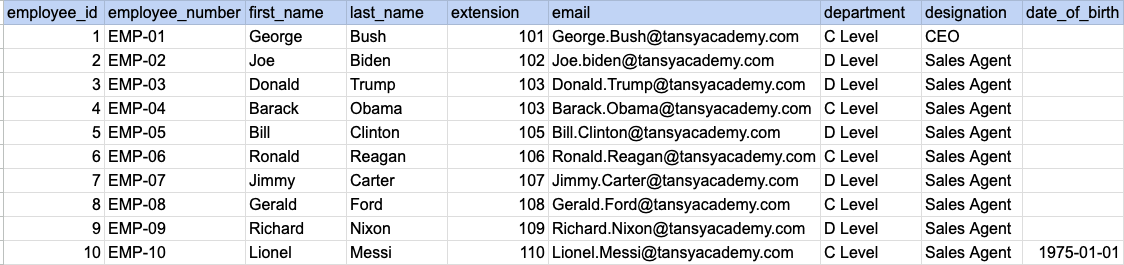
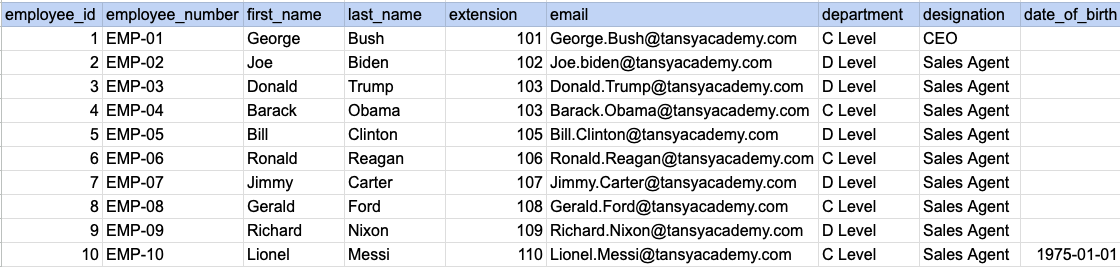
Let's understand the process of extracting data from a specified table. In this case, we aim to retrieve all rows and columns from the employee table.
Example 1 - Raw data from employee table
Example 1 - Query
SELECT * FROM org_employee;Example 1 - Query data mapping
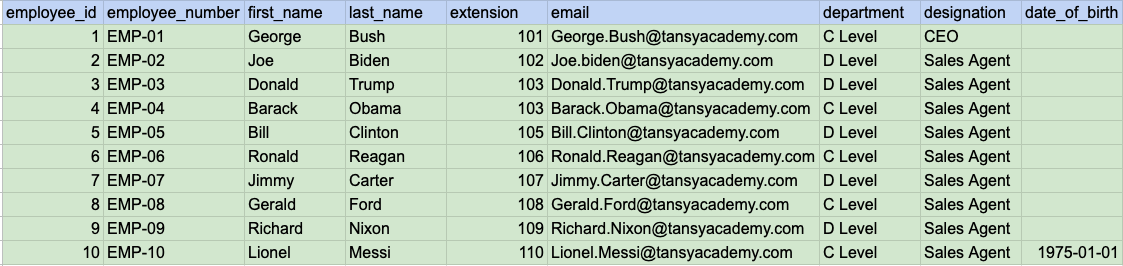
In above image, the color green signifies that the output for our query will include all rows and columns being selected.
Example 1 - Query Output
Example 2:
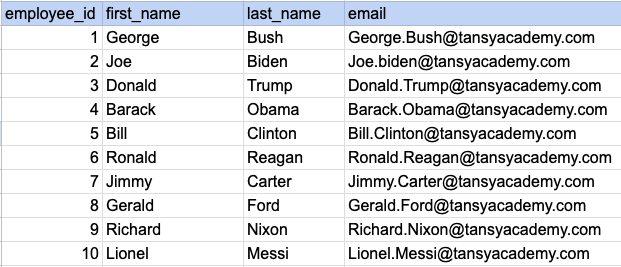
Let's understand the process of extracting desired columns from a specified table. In this case, we aim to retrieve 4 columns from the employee table.
Example 2 - Raw data from employee table
Example 2 - Query
SELECT employee_id, first_name, last_name, email FROM org_employee;Example 2 - Query data mapping
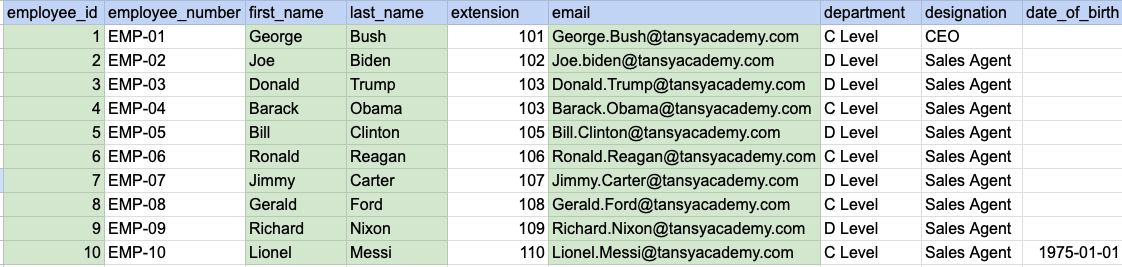
In above image, the color green signifies that the output for our query will include data from desired columns(employee_id, first_name, last_name and email).
Example 2 - Query Output
Comments Not Found