
PostgreSQL
Chapter 10 - Projects
Final Capstone Project 2: Hospital Management System in PostgreSQL
Objective:
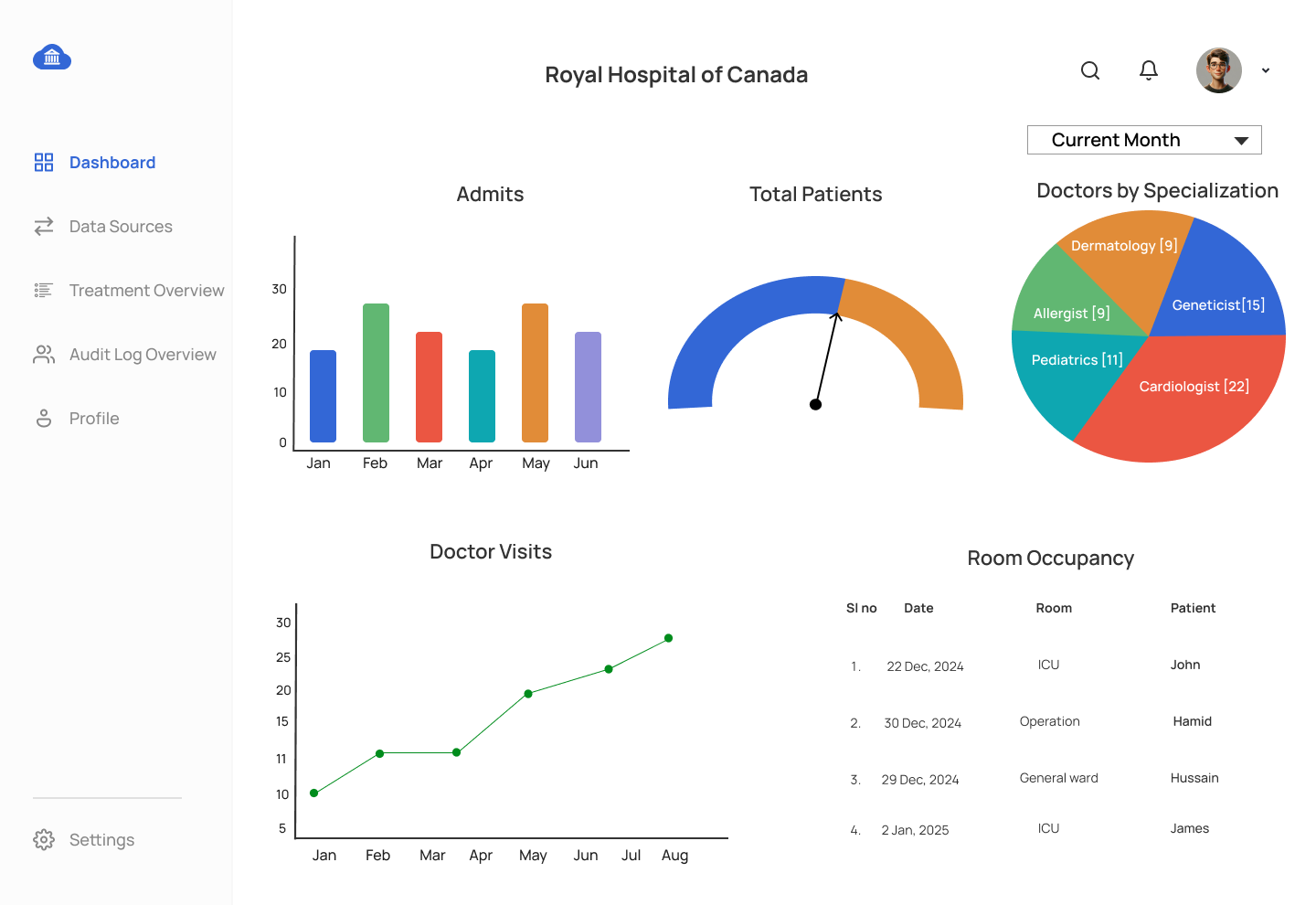
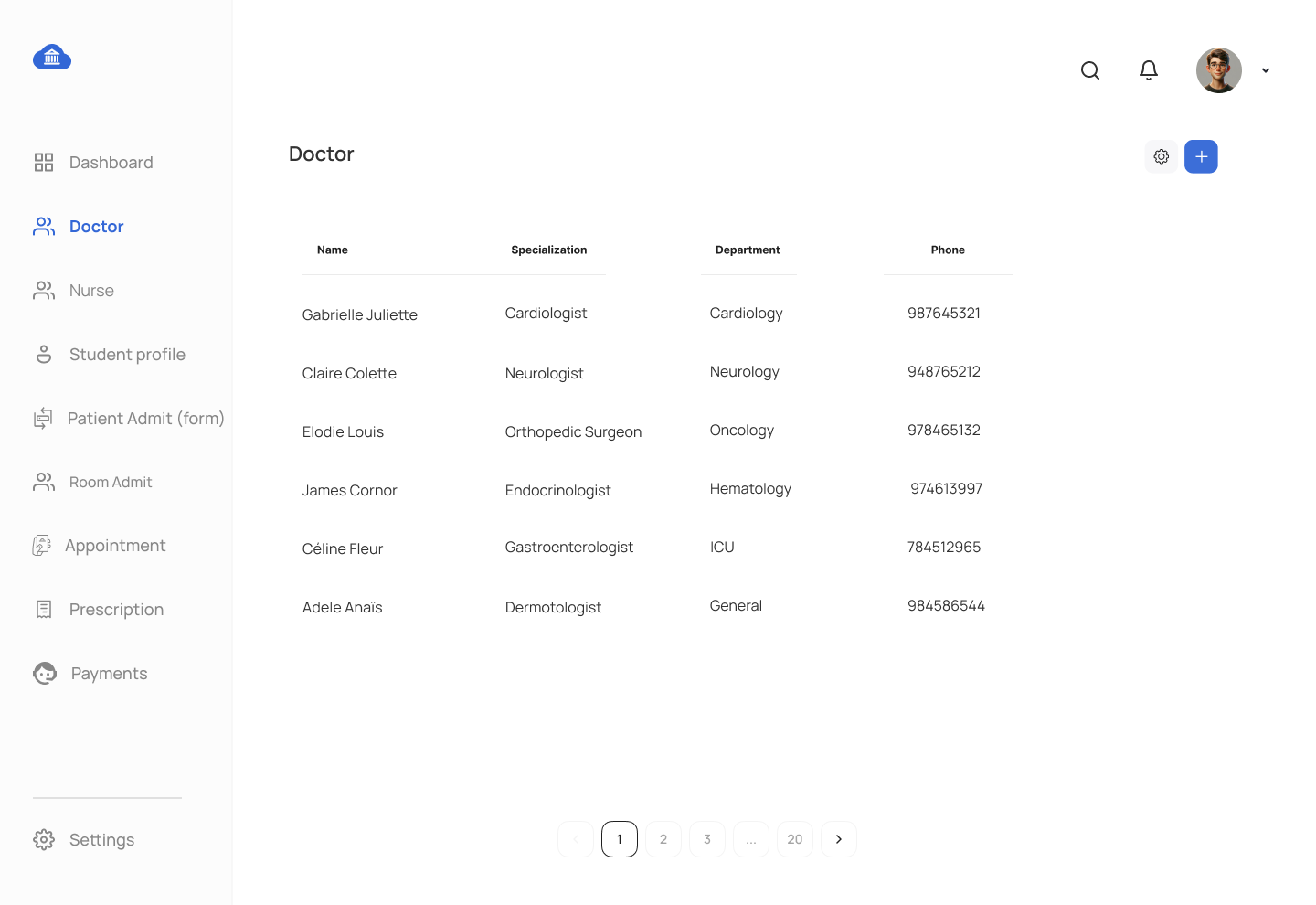
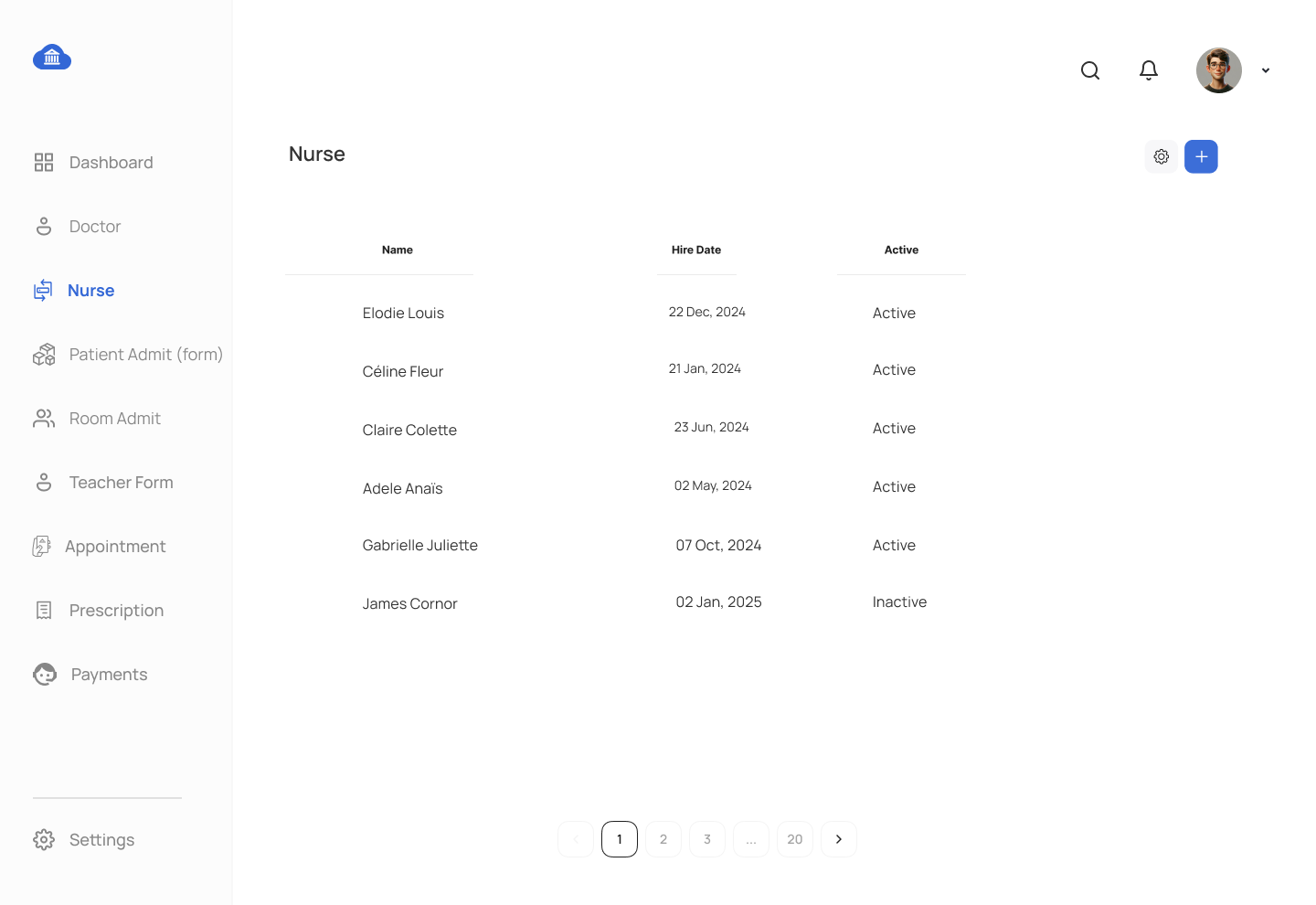
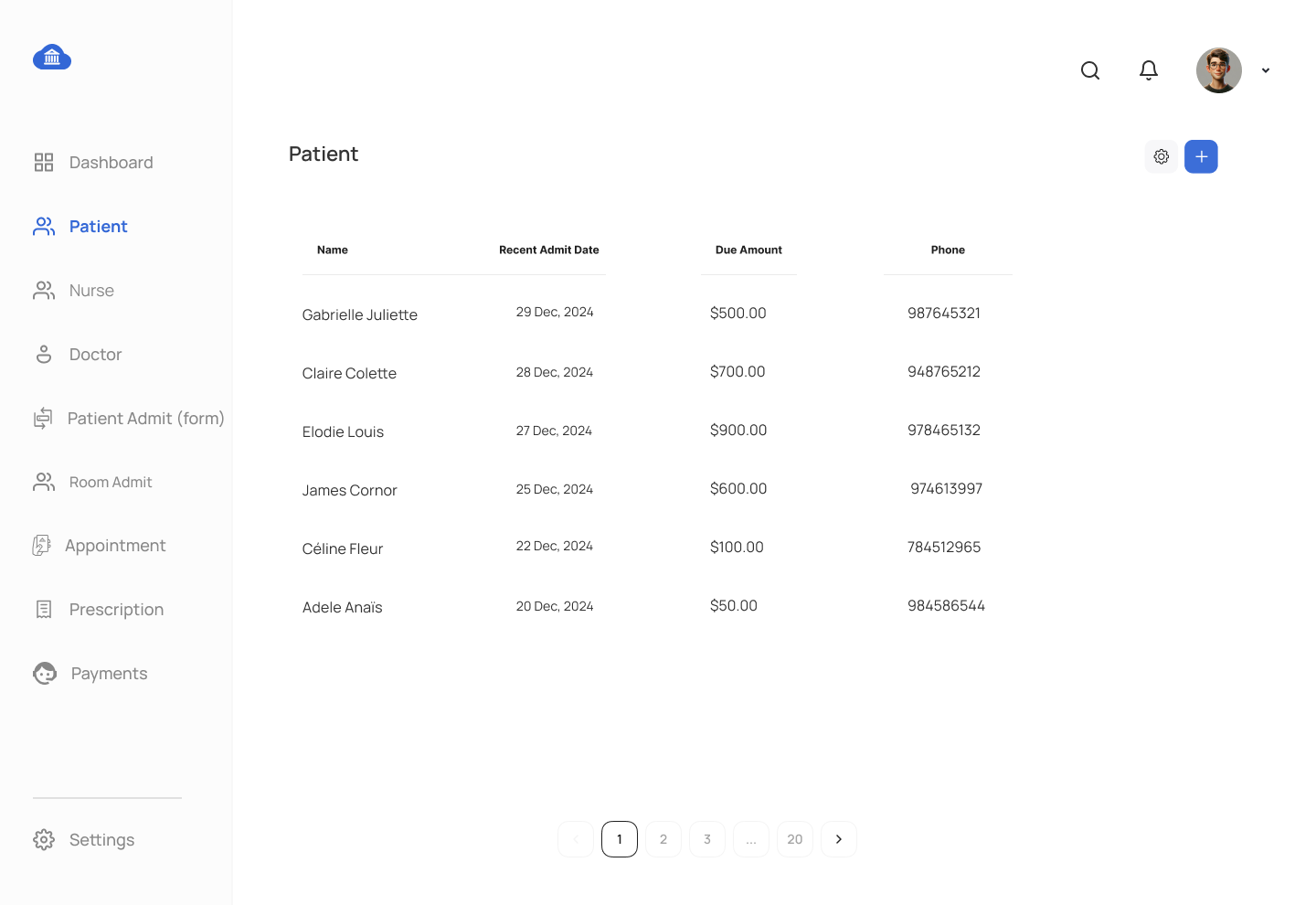
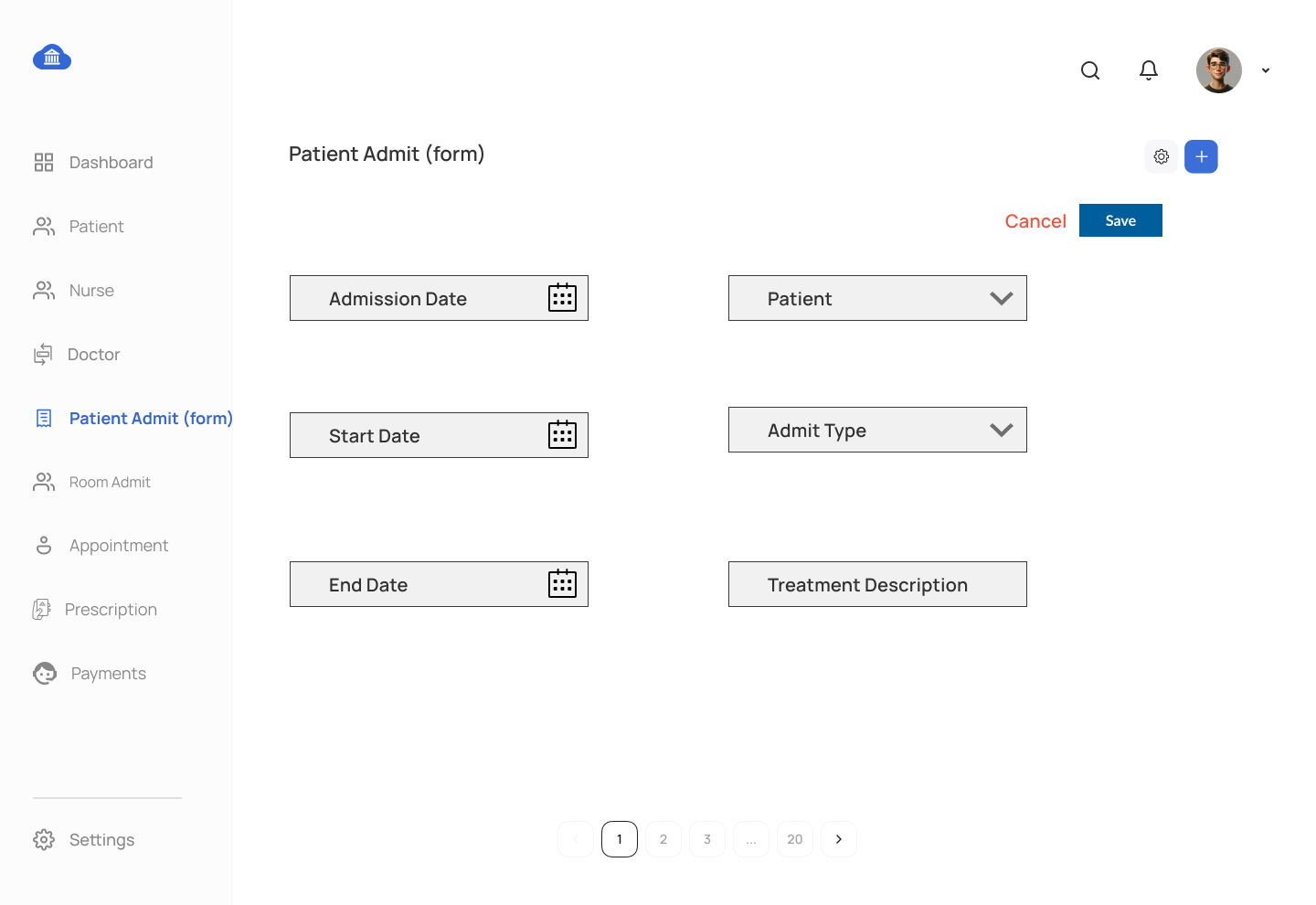
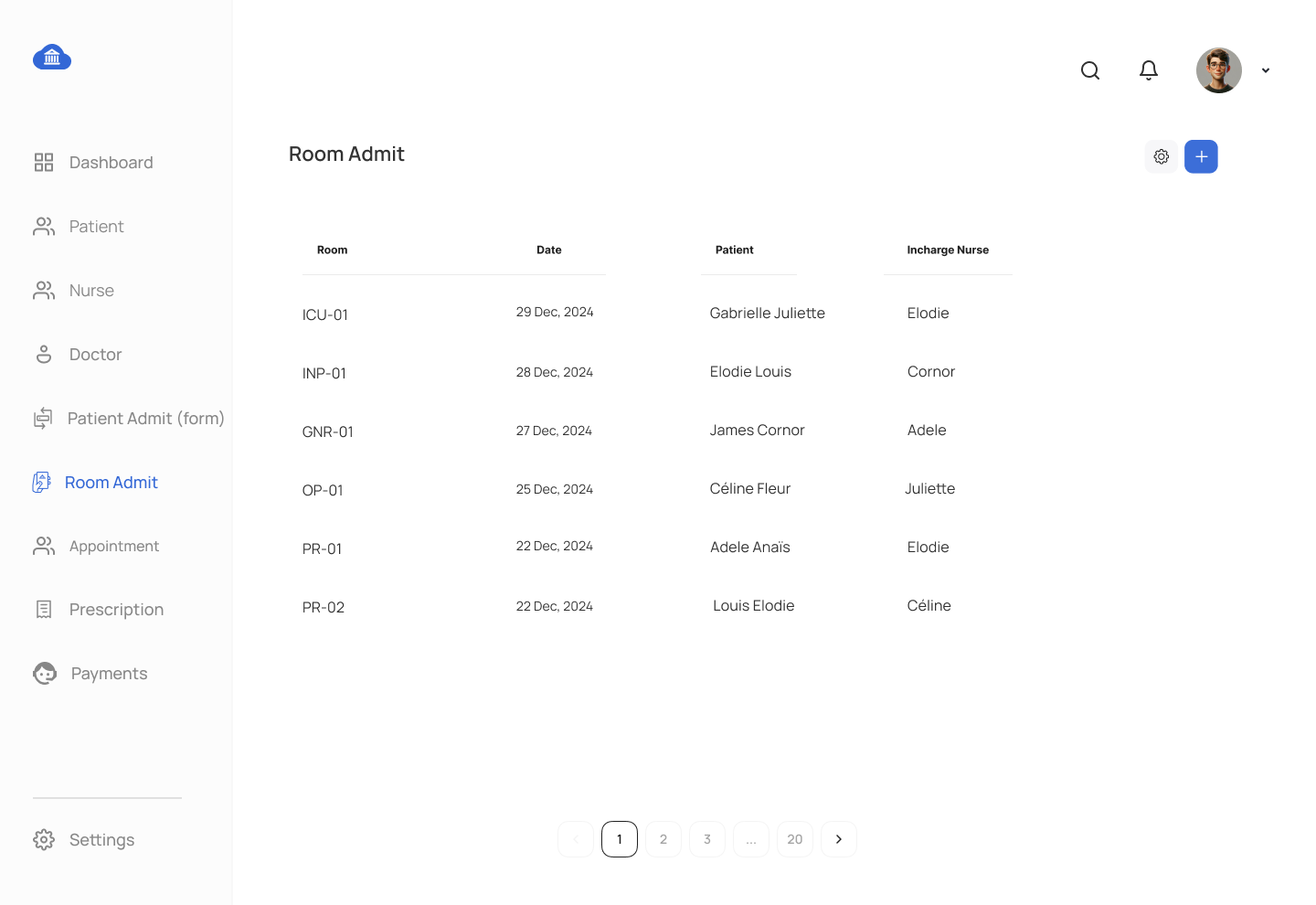
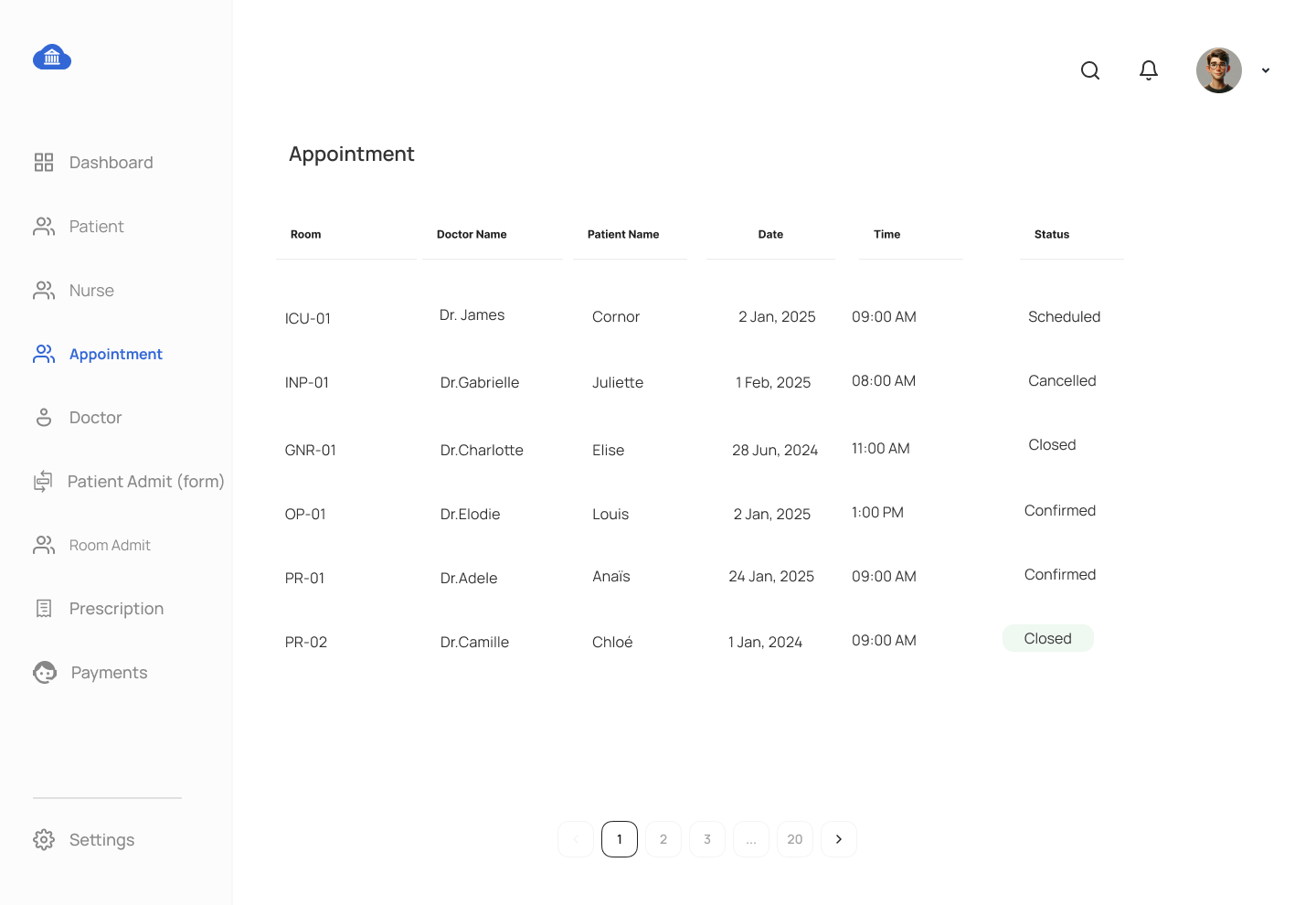
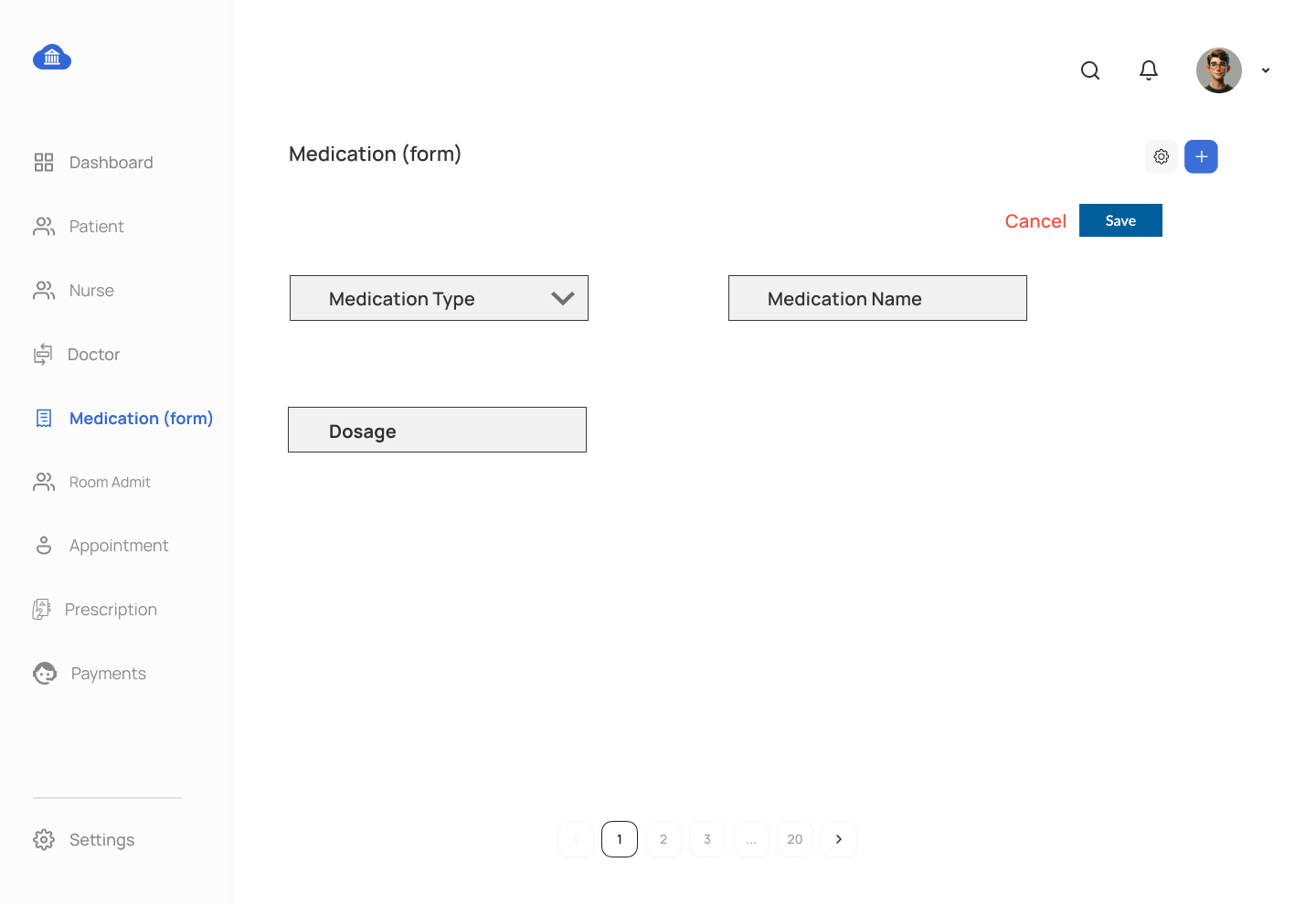
This assignment involves creating a comprehensive PostgreSQL Hospital Management System by using advanced database operations, such as stored procedures, views, functions, and triggers. You will develop database views, stored procedures, and triggers based on the proposed UI mockup displayed at the bottom of this webpage. Students are required to utilize the tables created during the Chapter 5 DDL assignment.
Requirements:
- Complete previous DDL, DML, and DQL assignments to use the table structures and data.
- Submit each SQL object (view, procedure, function, trigger) as a separate
.sqlfile named after the object. - Provide a report explaining the design of each SQL object and its functionality in relation to the UI.
Assignment Tasks:
Stored Procedure Tasks:
- Stored Procedure for Medication Management
- Write a stored procedure to insert data into
MEDICATIONtable.
- Write a stored procedure to insert data into
- Stored Procedure for Patient Admit Management
- Write a stored procedure to update data in
PATIENT_ADMITtable.
- Write a stored procedure to update data in
- Stored Procedure for Doctor Management
- Write a stored procedure to select data from
DOCTORtable.
- Write a stored procedure to select data from
- Stored Procedure for Prescription Management:
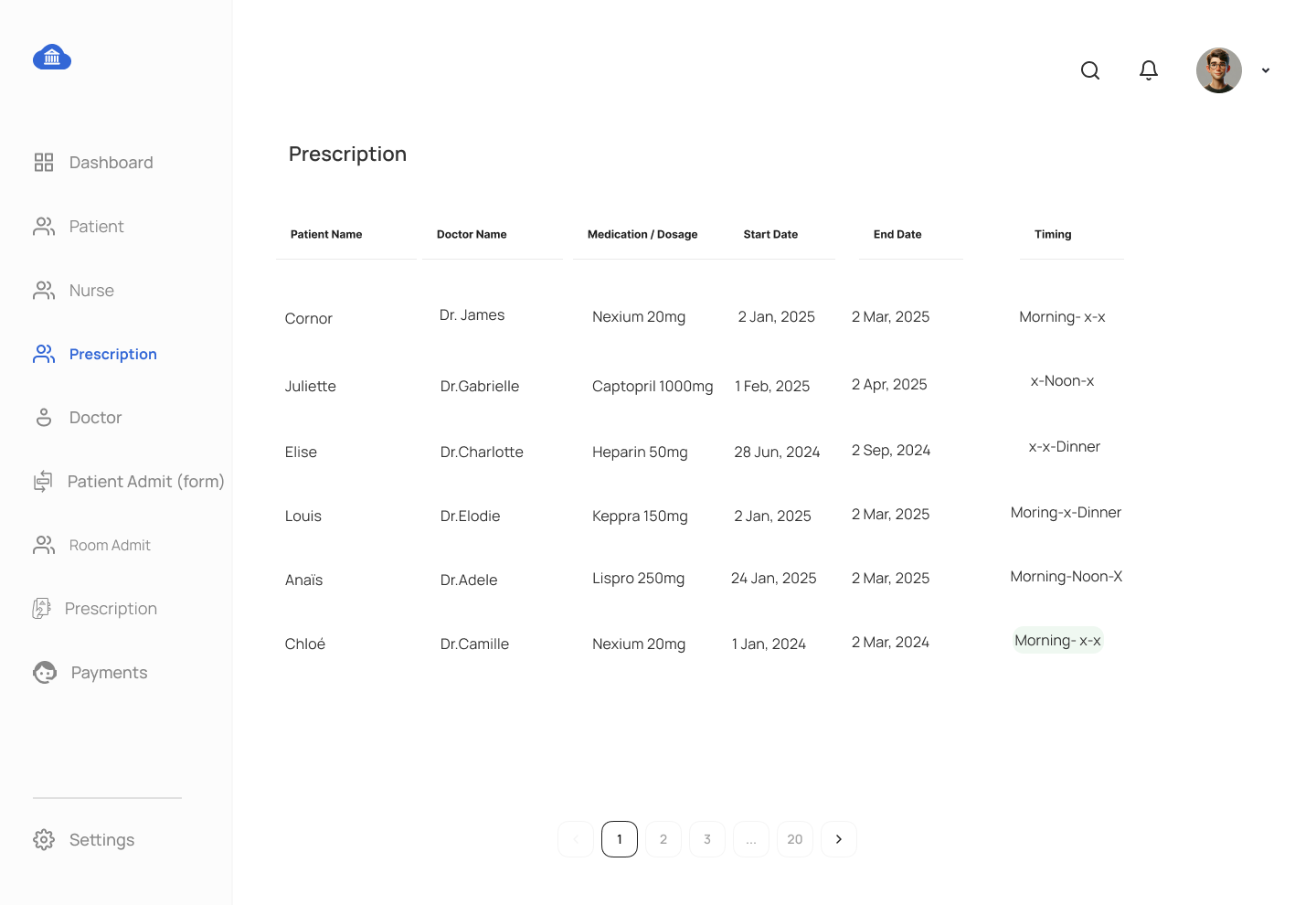
- Create a stored procedure to display detailed prescription information. If a medicine is prescribed for 3 days, generate rows for each day, and if it is prescribed 3 times a day for 3 days, display 9 rows. Utilize a
dim_datetable with a JOIN and apply the temporary table technique to represent the morning, afternoon, and evening dosages.
- Create a stored procedure to display detailed prescription information. If a medicine is prescribed for 3 days, generate rows for each day, and if it is prescribed 3 times a day for 3 days, display 9 rows. Utilize a
- Stored Procedure for Billing Information
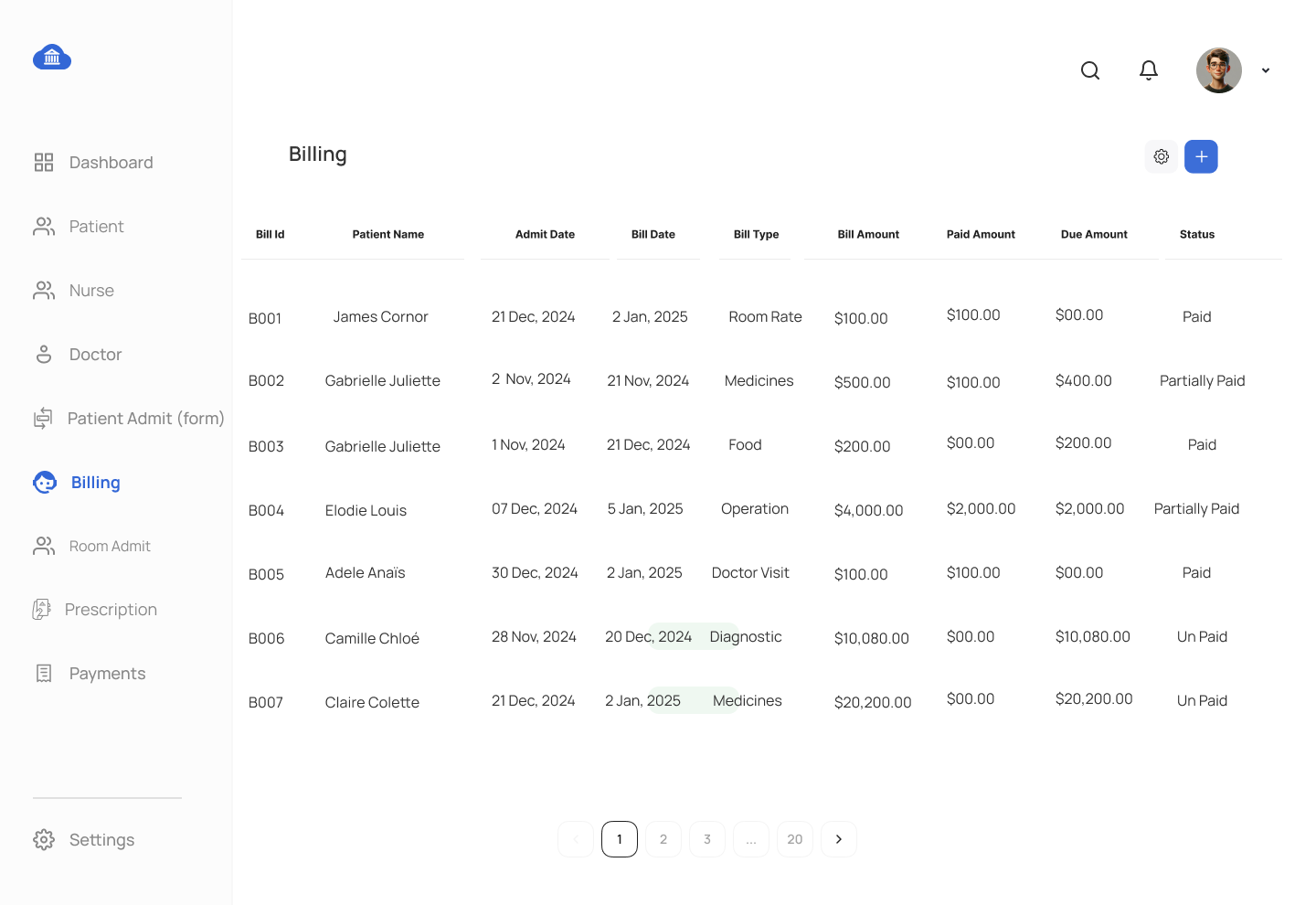
- Create a stored procedure to display detailed billing information for a specified patient. The output should include treatment details, patient data, billing data, and payment information. Mark a record as overdue if the total amount remains unpaid for more than 3 days after the bill creation date. If a single bill has multiple payments, present the receipt IDs as a comma-separated list.
- Stored Procedure for New Appointments
- Create a stored procedure to insert patient appointment details while ensuring that the assigned doctor or room is not double-booked. Additionally, automatically generate a billing record based on the doctor's per-visit fee.
- Stored Procedure for New Room Admits
- Create a stored procedure to insert room admit details while ensuring that the assigned room is not double-booked. Additionally, automatically generate a billing record based on the room's per-day fee.
- Stored Procedure for Payment Receipts
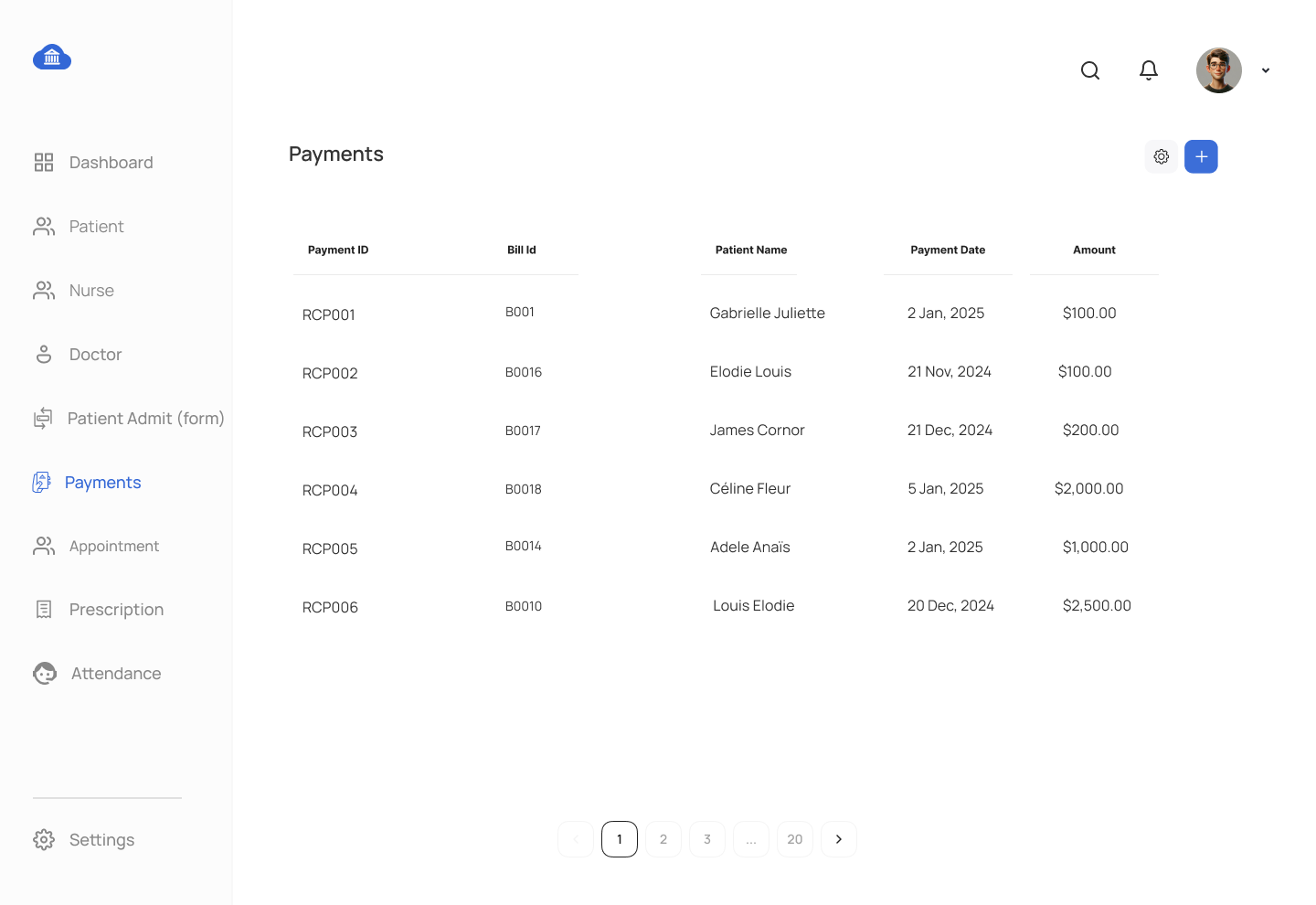
- Create a stored procedure to insert payment receipt details.
View Tasks:
- View for Room Information
- Create a view to display room details including room id, room name, daily rate and room type.
- View for Appointment Details
- Create a view to display appointment details including patient name, doctor name, doctor specialization, appointment date, room name and status.
- View for Monthly Room Occupancy Details
- Write a view that lists each room occupancy on daily basis with details such as calendar date, patient name, incharge nurse, and daily billing rate. If a room is unoccupied on a given date, display the room ID without any associated patient information. You need to JOIN date dim table with room admit table. LEFT JOIN plays crucial role in this solution.
- View for Patient Discharge Billing Information
- Create a view to display treatment billing information, including treatment description, bill date, bill amount, paid amount, pay receipt id, and balance amount. If multiple payments have been made for a single bill, display the receipt IDs as a comma-separated list. There shall be one record per bill, repeating treatment information is ok.
Function Tasks:
- Function to Calculate Total Bill per Patient
- Write a function to calculate the total amount billed to a patient based on the treatments and services provided.
- Function to Calculate Appointment Count per Doctor
- Write a function that calculates the number of appointments scheduled for a specific doctor.
Trigger Task:
- Trigger on Appointment Status Change
- Create a trigger on the
APPOINTMENTtable that logs changes to thestatusfield into theAUDIT_LOGtable. Capture theappointment_id,old_status,new_status,log_date, anduser_id.
- Create a trigger on the
Submission Guidelines:
- Each SQL object (procedure, view, function, trigger) should be in a separate
.sqlfile, named accordingly. - Provide a brief report explaining the functionality of each SQL object and how it connects to the UI screens.
This assignment is designed to help students build a Hospital Management System using advanced PostgreSQL techniques. By managing stored procedures, views, functions, and triggers, students will gain experience in handling real-world database challenges.
UX Screens for Hospital Management System Mockup
Comments Not Found